Back to Blog Page
Drive Local Visitors to Your Website by Registering in Local Directories


73% of online activity as per Google relates to local content.
82% of local searches are followed up by phone call or walk-in.
43% online users seek local merchant to buy offline.
Normally clients search for “visiting cards printer in Chicago” or “brochure printer nearby” or “CD cover printer” in Google. If you want your store to be in the search results, you need to get registered with Google Local Search Directory.The first step to Search Engine Optimization (SEO) is to get your business registered in local directories.
Do it Yourself Easy Steps to Submit Local Listing
Before You Start Few Tips to Make Your Listings Competitive
Claim Your Business Profile.
Claiming will give you ownership and editing rights to your profile.Use Location & Keyword Based Business Description.
For example use online business cards printer in Chicago to describe your business.Register with Area & Industry Specific Directories.
If your local chamber of commerce has a website get your web store linked with it.Use Physical Address.
Search engines verify physical address of a business and ones that get verified get higher ranking.Use Customer Reviews.
Nothing works better with search engines than positive client feedback.Use Social Media & YouTube.
Create dedicated pages on Facebook and Twitter and publish video testimonials.Use Local Content in Blog.
Localize your blog content by referring to your city, local areas, etc.
For Google
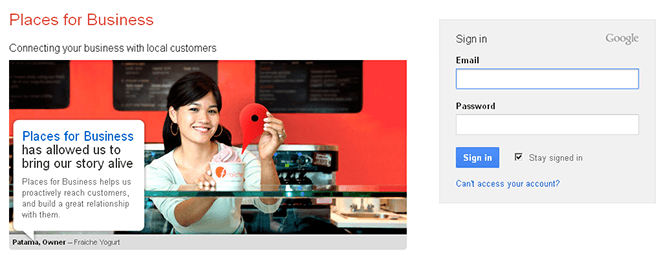
Google is the most popular search engine. So we recommend Google Places for Business first and then other local directories. Follow the below given steps to make easy submission to Google Places.Step 1: Open a Gmail account. If you already have one for your business start with step two.Step 2: Open Google Local link https://business.google.com/us/business-profile/ and sign in using your Gmail account.
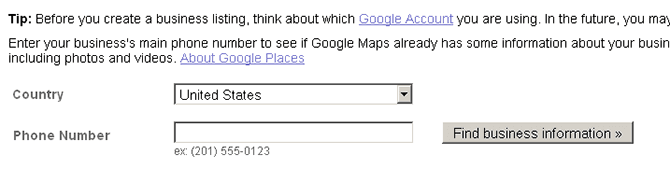
Step 3: Select your country from the dropdown list and give your valid phone number. Then click on “Find business information” button.
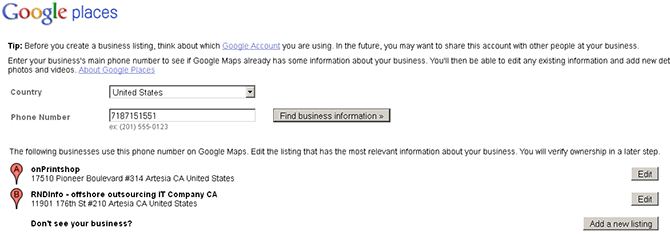
If your profile exists with Google Places it will notify you. Here you have to click on edit and claim your profile. If it does not exist you can add your listing.
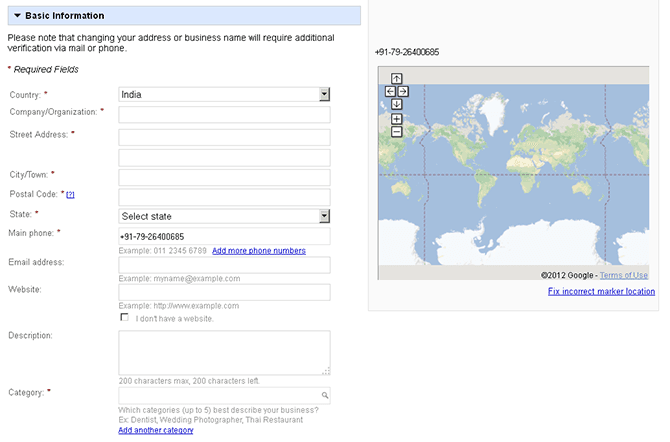
Step 4: Add your basic business information like business name, address, website URL, description, business category, etc.
Step 5: Below basic information you can give details of service areas, hours of operation, and payment options. You can upload photos and videos as well. Once done click submit button at the bottom of the page.
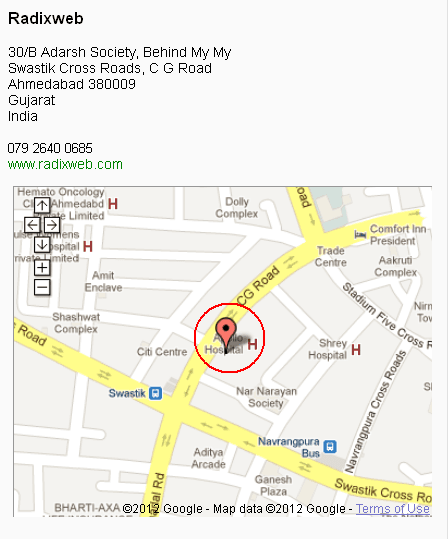
Step 6: Check the marker location on Google Maps. If it shows incorrect position, drag it around and correct it.
Step 7: Finally select your preferred method of validation and click “finish” button at the bottom. We recommend you select SMS here for verification purpose.
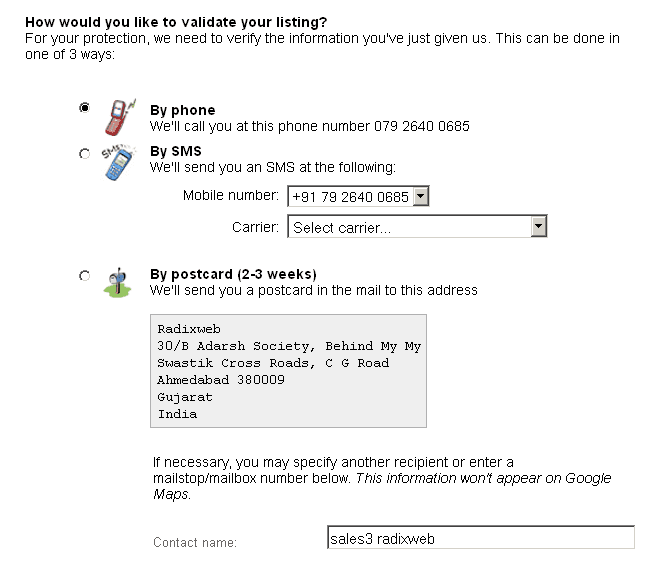
Step 8: Once you click finish button you will receive a code via SMS. Enter that code on the page and your listing will get activated. If you choose postcard it might take 2-3 weeks to complete verification. For phone verification, language might be an issue.Creating and displaying business listings in Google is free.
For Yahoo Local
After Google, Yahoo is the second most popular search engine. Follow the below given steps to submit your print web store to Yahoo Local.
Step 1: Go to Yahoo Local and sign in with your email account.
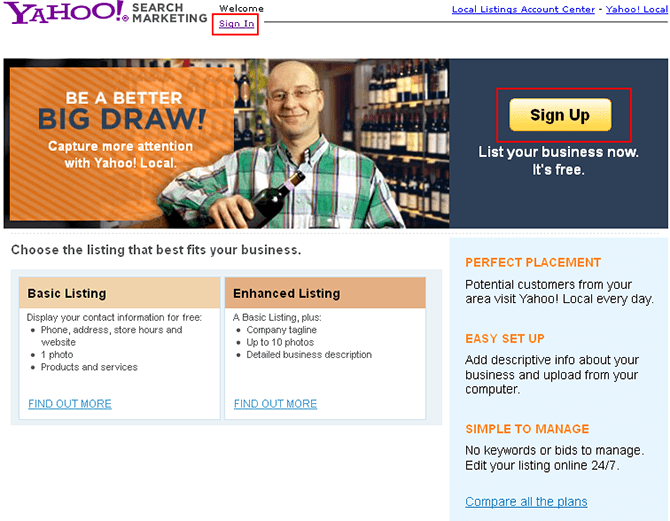
Step 2: Once you have signed in fill up your business details like name, address, contact number, website URL, etc.
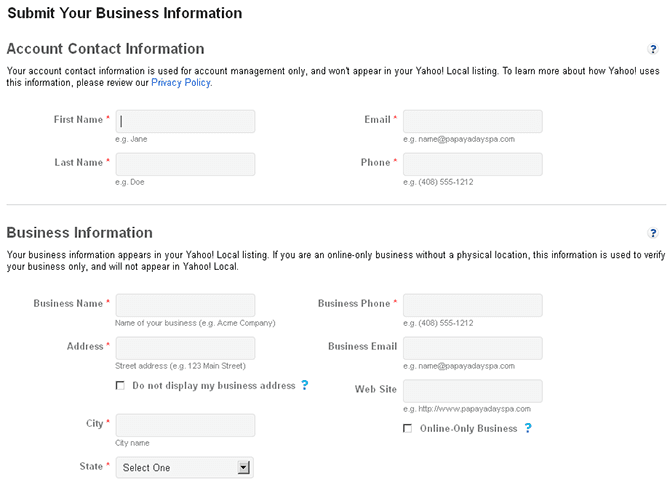
Step 3: Select appropriate category and fill additional information like hours of operation, mode of payment, etc. You can then preview your listing.
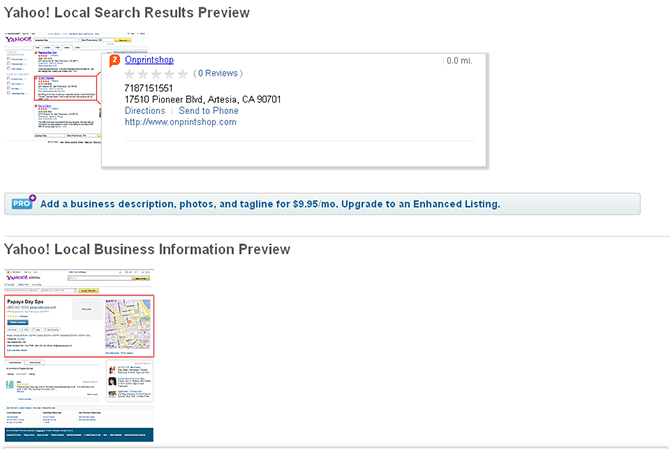
Step 4: Verify the listing by entering the code, agreeing to the terms and conditions, and clicking “submit” button.
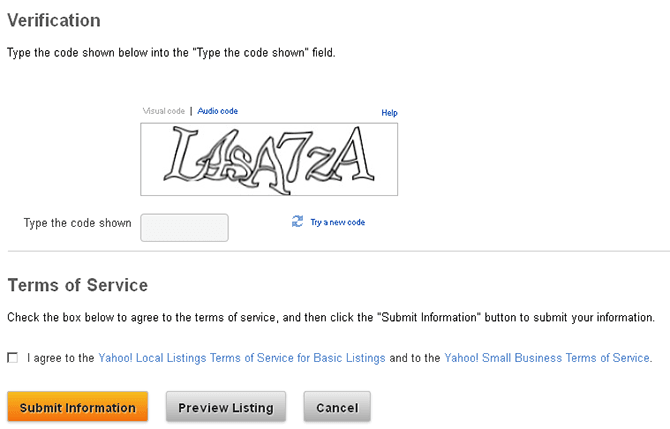
It may take 10 to 20 business days to get your listing displayed on Yahoo’s local search but it will be there. Yahoo Local’s Basic Listing service is free while Enhanced Listing is available for $9.95 per month.This was the process for Google Places and Yahoo Local. However this process may vary depending on the local directory. The other popular local search directories include:
All these activities will help you get traffic to your web store. If you do not have the time, you can hire a professional SEO company or a freelance SEO expert. For further assistance you can Check Our Demo
Share This Blog


#1 Web to Print Software.
By submitting this form, you agree to our Privacy Policy