


Blog Summary: Packaging is no longer just protection; it is your brand's first physical handshake with the customer. Yet most print packaging businesses are still quoting manually, building dielines by hand, and losing margin on every short run. This guide breaks down everything you need to know about web-to-pack in 2026. Let's get into it.
TL;DR● Web-to-pack is purpose-built packaging ecommerce software - not a generic web-to-print platform● It automates dieline generation, 3D preview, preflight validation, and order processing end to end● Supports folding cartons (ECMA), corrugated boxes (FEFCO), flexible packaging, labels, rigid boxes, and POS displays● Key differentiator vs web-to-print: structural dieline logic, parametric pricing, and production-safe preflight● Businesses typically recover full implementation cost within 1–3 years● Best suited for commercial printers, packaging converters, trade printers, and D2C brands
Think about the last time an unboxing experience genuinely surprised you. Chances are, it was not the product alone, it was the packaging. Custom colors, a printed thank-you note, a box that felt designed specifically for you. That experience is now a competitive baseline, not a differentiator.
A report by Future Market Insights, 2024, confirms this shift. It states that the global personalized packaging market is projected to grow from USD 41.0 billion in 2025 to USD 77.7 billion by 2035, at a CAGR of 6.6%.
Meeting this demand at scale, with accuracy, speed, and profitability, requires more than a standard web storefront. It requires purpose-built packaging automation: a customized web-to-pack solution.
This guide covers everything decision-makers at print packaging businesses need to know: what web-to-pack is, how it differs from web-to-print, which packaging types it supports, the technology behind it, how to evaluate and implement a solution, and what ROI to expect. Whether you are a commercial printer, packaging converter, or D2C brand manager, this is your complete reference.
What is Web-to-Pack?
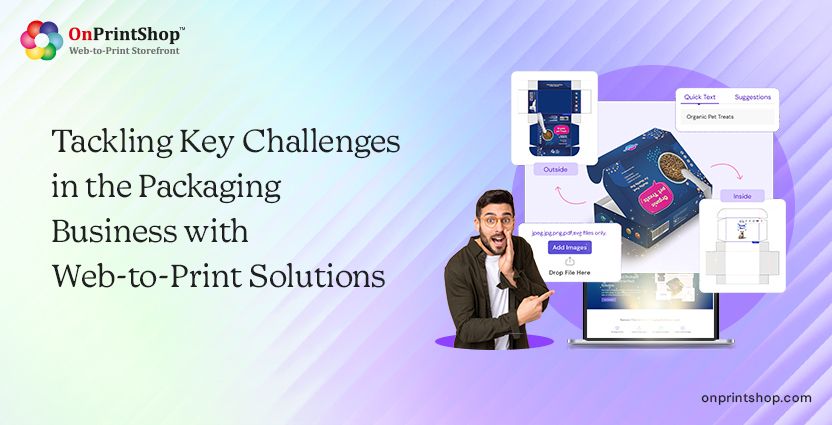
Web-to-pack is a category of packaging eCommerce software that enables customers to configure, design, price, and order packaging products, such as folding cartons, corrugated boxes, and flexible pouches, through an online storefront or B2B portal. It combines parametric dielines, 3D previews, automated preflight checks, and production workflows in one platform.
Web-to-pack evolved from web-to-print technology, which focused on flat printed products like brochures and business cards. As e-commerce packaging demand grew, web-to-print systems proved insufficient for handling structural packaging, including dielines, 3D visualization, and parametric configurations.
Unlike generic print storefronts, web-to-pack solutions are purpose-built for packaging workflows. They support everything from structural design and validation to print-ready file generation, making them ideal for businesses producing custom packaging at scale.

Web-to-Pack vs Web-to-Print: Key Differences
The gap between a standard web-to-print platform and an exclusively designed web-to-pack platform has significant operational and financial consequences.
When Web-to-Print Is Sufficient
Web-to-print remains the correct tool when the product set is limited to flat print items: flyers, postcards, booklets, banners, or signage. If a business is not producing structural packaging, no boxes, no cartons, no pouches, a standard web-to-print platform delivers good ROI without the overhead of packaging-specific features.
When Web-to-Pack Is Required
Web-to-pack becomes necessary the moment structural packaging enters the product catalog. Any job that involves a dieline, a fold, or a three-dimensional form requires packaging-specific software. This includes folding cartons for retail, corrugated shipping boxes, flexible food pouches, rigid luxury boxes, and POS display units. Web-to-pack is also required when customers need real-time dimensional pricing, where changing a box's length, width, or height recalculates cost instantly, or when B2B brand portals need to enforce artwork standards automatically.
The Cost of Using Web-to-Print for Packaging
Using generic web-to-print platforms for structural packaging creates failure points: manual dieline creation, no 3D visualization, and no structural validation. Customers approve inaccurate flat designs, leading to errors. This results in higher reprints, longer turnaround times, and increased pre-press costs. According to Smithers, pre-press errors are a leading cause of packaging reprints, and are largely preventable.
Who Should Use a Web-to-Pack Solution?
Web-to-pack software serves multiple business types across the print and packaging supply chain. The right fit depends on business model, order profile, growth objectives, and the packaging printing challenges faced.
Commercial Printers Expanding Into Packaging
Printers adding folding cartons or corrugated products to their portfolio need packaging-specific online ordering infrastructure. Web-to-pack enables them to accept and process packaging orders without building a custom quoting and pre-press workflow from scratch.
D2C E-Commerce Brands
Direct-to-consumer brands need branded packaging in short runs without high minimum order quantities. Web-to-pack platforms with self-service configurators allow brand teams to order custom-dimensioned, branded packaging on demand, without relying on a sales rep for every order.
Trade Printers
Trade printers managing multiple reseller channels benefit from B2B packaging portals that enforce brand standards, manage tiered pricing, and handle multi-storefront operations for different client segments.
Packaging Converters
Converters running high volumes of repeat packaging orders can use web-to-pack to replace manual quoting and PDF order intake with automated online configurators, reducing administrative overhead significantly.
Brand / Marketing Teams
Large brand teams managing packaging across multiple SKUs and regional markets benefit from brand-controlled portals where approved artwork templates are locked, sizes are standardized, and ordering is delegated to regional teams without risk of off-brand production.

Why Packaging Businesses Are Adopting Web-to-Pack in 2026
The shift toward online packaging ordering is being driven by structural changes in how products are sold, how brands are built, and how supply chains are managed. Here are the primary drivers, each backed by market data.
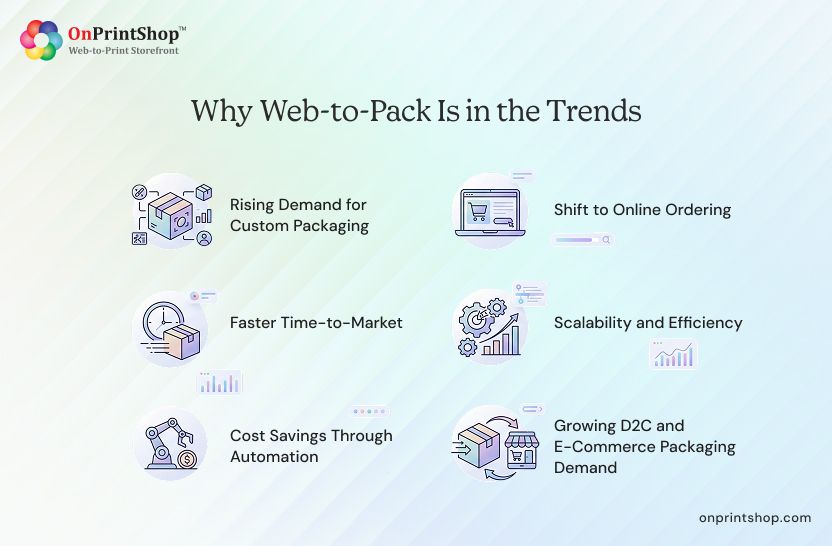
1. Rising Demand for Custom Packaging
The personalized packaging market is forecast to reach USD 77.7 billion by 2035 (Future Market Insights). Consumers increasingly associate brand quality with packaging quality, and brands are responding with shorter packaging runs featuring unique designs, seasonal variants, and personalized messaging. Web-to-pack platforms support variable data packaging (VDP) and PDF/VT workflows that make high-mix, short-run personalised packaging operationally viable.
2. Shift to Online Ordering
B2B buyers have adopted the same expectations as B2C consumers: self-service, instant pricing, and digital approval workflows. According to McKinsey, more than 70% of B2B buyers now prefer digital or self-serve interactions over traditional sales calls. Web-to-pack solutions deliver exactly this, an online packaging configurator that quotes, proofs, and accepts orders without manual intervention.
3. Faster Time-to-Market
Brand launch cycles have compressed. New product introductions, seasonal campaigns, and limited-edition packaging that once allowed 6–8 weeks for pre-press now need to be ordered and delivered in days. Web-to-pack automation, from instant dieline generation to automated preflight, compresses the order-to-production window dramatically, enabling turnarounds that were previously impossible.
4. Scalability and Efficiency
As packaging businesses grow, manually processing every order through a sales rep and pre-press team creates a hard ceiling on volume. Web-to-pack platforms handle large order intake with customizations, dieline generation, artwork validation, and MIS/ERP handoff automatically, allowing businesses to scale order volume without proportionally scaling headcount.
5. Cost Savings Through Automation
Pre-press automation reduces labour cost per job. Automated preflight catches errors before production, reducing reprints. Digital proofing replaces physical sample rounds. Combined, these savings meaningfully improve margin per order, particularly on short runs where pre-press costs as a percentage of job value are highest.
6. Growing D2C and E-Commerce Packaging Demand
The global e-commerce packaging market is projected to grow from USD 61.5 billion in 2023 to USD 130.4 billion by 2032 (Allied Market Research). D2C brands, who control their own packaging without the constraints of retail shelf standards, are the fastest-growing segment of custom short-run packaging buyers. Web-to-pack solutions designed for D2C order profiles (low MOQ, high mix, fast replenishment) are capturing this growth.
Packaging Types Supported by Web-to-Pack
A production-grade web-to-pack solution supports the full range of structural packaging formats, organized around industry-standard dieline libraries. The two primary standards are FEFCO (Federation Europeenne des Fabricants de Carton Ondule) for corrugated packaging and ECMA (European Carton Makers Association) for folding cartons.
Folding Cartons
ECMA defines 120+ standardized folding carton template types, covering tuck-end cartons, reverse tuck cartons, sleeve boxes, gable tops, and more. Parametric web-to-pack configurators allow customers to enter their required dimensions and generate a print-ready dieline automatically.
Corrugated Boxes
FEFCO documents 290+ corrugated box models, from basic RSC (Regular Slotted Container) to complex die-cut retail displays. FEFCO-compliant web-to-pack platforms generate structurally accurate corrugated dielines based on entered dimensions, board grade, and flute type.
Flexible Packaging
Stand-up pouches (doypacks), flat pouches, side-gusset bags, and roll stock. Flexible packaging configurators handle material selection, closure type, and print-ready artwork layout for film substrates.
Labels and Stickers
Sheet labels, roll labels, die-cut labels, and specialty adhesive formats. Label configurators manage die shape, material, finish (gloss, matte, kraft), and variable data fields.
Rigid Boxes
Setup boxes, magnetic closure boxes, and lift-lid configurations for luxury goods, cosmetics, and premium retail. These require separate structural and surface artwork files.
POS Displays
Counter display units, floor stands, and header cards. POS display configurators manage flat-pack shipping dimensions vs. erected display footprint.
How Web-to-Pack Technology Works: Step by Step
The web-to-pack ordering journey transforms a customer's packaging requirement into a production-ready file without manual intervention at each stage. Here is how the process works end to end.
Step 1: Browse and Configure Packaging
The customer accesses the web-to-pack storefront or B2B brand portal, selects the packaging category (folding carton, corrugated, flexible, etc.), and enters required dimensions (length, width, height), material specification, quantity, and finishing options (gloss laminate, emboss, spot UV). The configurator maps these inputs to the correct FEFCO or ECMA template.
Step 2: 3D Visualization and Design Application
The platform generates a real-time 3D preview of the configured packaging. Customers apply their artwork, uploading print-ready files or customizing a pre-approved brand template using the 3D-preview embedded online design studio. It renders artwork on the assembled packaging structure, allowing accurate review before approval.
Step 3: Auto Dieline Generation and Preflight Validation
This is the step that separates web-to-pack from generic web-to-print. Based on the entered dimensions and selected FEFCO or ECMA template, the system generates a print-ready structural dieline automatically.
Automated preflight validation then checks: bleed and safe zone compliance, CMYK colour profile accuracy, image resolution, structural integrity of the dieline, and PDF/VT compatibility for variable data jobs. Errors are flagged and returned to the customer for correction before the order is placed, not after production has begun.
Step 4: Pre-Press Checks and Optimization
Approved files move to a pre-press queue where colour management, imposition, and final layout validation are completed. For variable data packaging jobs, PDF/VT workflows enable efficient handling of high-mix personalisation across a single print run.
Step 5: Production to Finishing
The job moves to production: printing, die-cutting, folding, gluing, and structural assembly. Post-press finishing (embossing, laminating, varnishing, foil application) is applied per specification. The end-to-end packaging workflow automation software tracks job status throughout.
Step 6: Shipping and Order Tracking
Finished packaging is packed and dispatched via integrated shipping carriers. Customers receive real-time tracking updates. The automated order management system records delivery confirmation and updates inventory records for repeat-order convenience.
Key Features of a Web-to-Pack Solution
Not all web-to-pack platforms are equally capable. Below are the 12 features that define a production-grade solution, the first 8 are standard expectations; the final 4 represent the capabilities that differentiate leading platforms.
1. Customizable Storefronts and B2B Portals
A web-to-pack platform should support both B2C self-service storefronts and dedicated B2B brand portals with role-based access. B2B portals enable multi-user teams (brand managers, regional buyers, marketing coordinators) to order within pre-approved templates, pricing tiers, and artwork standards, without involving a sales rep for every transaction.
2. Online Design Studio with Packaging Focus
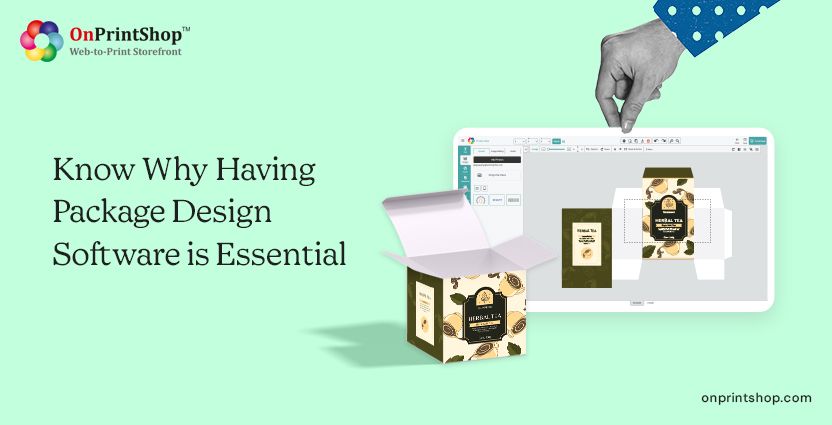
An embedded 3D packaging design software editor should allow customers to upload artwork, apply templates, edit text and imagery, and preview results on the three-dimensional packaging structure. Look for support for corrugated box templates, carton dielines, and pouch layouts, not just flat document canvases.
3. Real-Time 3D Visualization
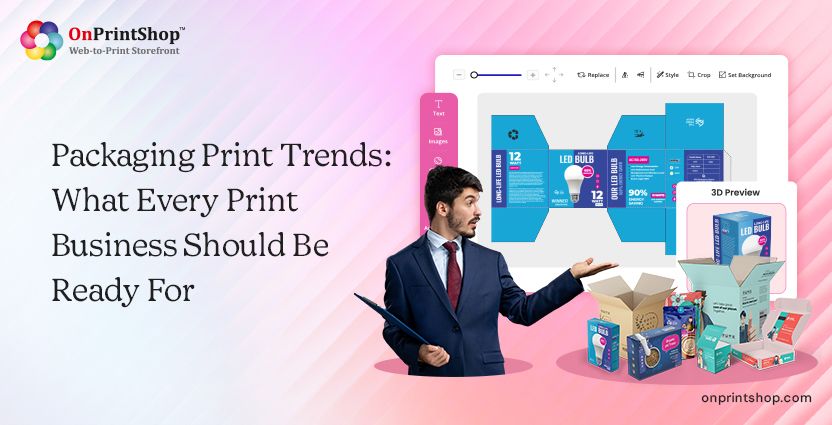
Customers should be able to rotate, zoom, and inspect their packaging design on a virtual mockup before placing an order. Real-time 3D preview reduces approval cycle time and significantly lowers the likelihood of post-production artwork disputes.
4. Parametric Pricing Engine
Pricing must update in real time as customers change dimensions, material grade, quantity, finishing, and shipping speed. A parametric pricing engine eliminates the need for manual quotes on standard configurations and gives customers an accurate cost breakdown instantly, including surcharges for special finishes, short-run premiums, and shipping.
5. Design Proofing and Approval Workflows
Design proofing software with transparent approval workflows, including version control, collaborative markup, and system-generated approval emails, reduces miscommunication between customers and pre-press teams. This is particularly important for brand-sensitive packaging where approval trails have legal or compliance significance.
6. Order Management System
A print order management system built for packaging handles automated order processing, multi-SKU order management, inventory tracking for repeat orders, and production scheduling integration. Look for real-time order status visibility for both production staff and customers.
7. Packaging Workflow Automation
End-to-end packaging workflow automation software connects order intake, pre-press, production scheduling, finishing, and dispatch into a single automated pipeline. This eliminates the manual handoffs that introduce errors and delay in fragmented print operations.
8. Integration Capabilities
A web-to-pack platform should integrate with various third-party tools, including MIS (Management Information Systems), ERP platforms, CRM tools, accounting software, and shipping carriers including FedEx, UPS, DHL, and regional logistics providers. Ecommerce integrations (Shopify, WooCommerce, headless API) are increasingly essential for D2C brand customers.
9. Auto Dieline Generator with FEFCO/ECMA Library
This is the most operationally significant feature for packaging printers. An auto dieline generator connected to a library of 2,000+ standardised FEFCO and ECMA templates produces print-ready structural dieline files from parametric dimension inputs, eliminating the need for pre-press staff to manually create or adapt dielines for each order variant. Parametric packaging templates update automatically when dimensions change.
10. Automated Preflight and Prepress Validation
Automated preflight validation is the difference between catching an error before production begins and paying for a reprint. System-enforced checks validate bleed, CMYK colour profiles, image resolution, structural dieline integrity, and PDF/VT compatibility before order confirmation. This single feature has the highest measurable impact on reprint reduction and pre-press labour savings.
11. Variable Data Printing and PDF/VT Support
For personalised packaging at scale, packaging with individual names, codes, SKU variants, or regional content, variable data printing software with PDF/VT support is required. PDF/VT (Variable Transactional) is the ISO-standard format for high-volume variable data print jobs and delivers significantly faster RIP times than standard variable data formats for packaging runs.
12. AI-Assisted Design Tools
Leading platforms now embed AI design capabilities within the packaging editor: logo vectorization from raster uploads, background removal for product photography, image upscaling for low-resolution artwork, and AI-generated design suggestions. These tools reduce the design skill barrier for SME customers ordering packaging independently, without involving a graphic designer.
How to Choose the Right Web-to-Pack Solution
Selecting a web-to-pack platform is a long-term infrastructure decision. A poorly matched solution creates technical debt, limits product expansion, and requires costly re-implementation. Use the following framework to evaluate options systematically.
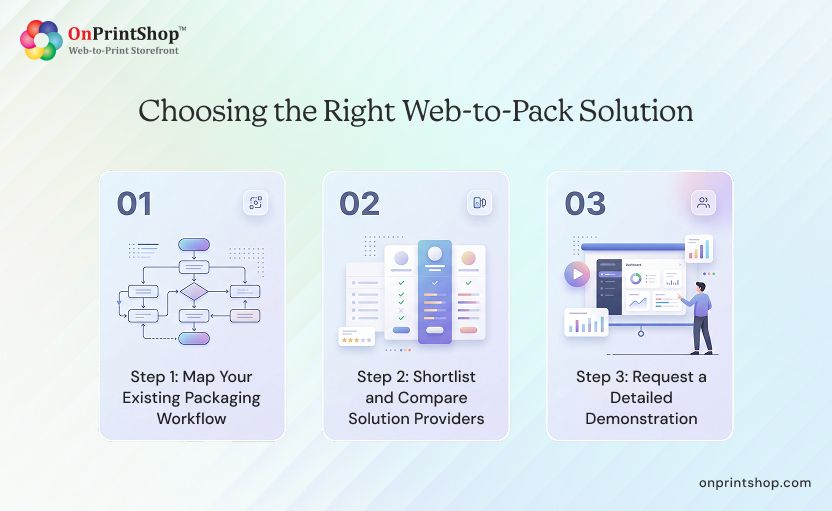
Step 1: Map Your Existing Packaging Workflow
Document the current end-to-end process: how orders are received, how dielines are created, how artwork is proofed, how production is scheduled, and how orders are dispatched. Identify the specific pain points, manual quoting delays, reprint rates, pre-press bottlenecks, customer artwork errors, that the platform must address. T
his analysis also clarifies your integration requirements (MIS, ERP, shipping carriers) and establishes the baseline against which ROI will be measured.
Step 2: Shortlist and Compare Solution Providers
Evaluate platforms against your specific packaging product mix. A platform strong in folding carton ordering may lack corrugated configurator depth. Verify FEFCO and ECMA library coverage, parametric dimension input capability, and the availability of your required finishing options. Request references from customers with comparable packaging profiles.
Step 3: Request a Detailed Demonstration
Ask the vendor to demonstrate the platform using your specific packaging products, not a generic demo product. Test the dieline generator with your most complex box configuration. Confirm preflight validation behaviour on a file with intentional errors. Evaluate the 3D preview quality on your typical substrate and finish. Assess the B2B portal configuration against your brand management requirements.
Evaluation Checklist: 10 Questions to Ask Every Vendor
- Supports FEFCO and ECMA dieline standards with parametric dimension input
- Parametric template library with custom dimension and material configuration
- Real-time 3D packaging preview with applied artwork visualization
- Automated preflight validation before order placement (not after production)
- Live parametric pricing engine that updates on dimension and spec changes
- B2B portal support with role-based access and multi-storefront management
- Native integration with MIS, ERP, and CRM systems
- Shipping carrier integration (FedEx, UPS, DHL) with real-time rate calculation
- Variable data printing (VDP) and PDF/VT support for personalised packaging
- Scalable architecture supporting both short-run and high-volume order profiles
ROI and Cost Savings: What Businesses Can Expect
ROI from a web-to-pack implementation comes from four measurable sources: pre-press labour reduction, reprint cost elimination, turnaround acceleration, and short-run profitability improvement.
Pre-Press Labour Reduction
In a manual packaging workflow, a pre-press operator may spend 3–5 hours per packaging SKU creating or adapting a dieline, preparing colour profiles, and validating artwork. With automated dieline generation and preflight validation, this drops to under one hour per job for standard configurations. At 20 packaging jobs per week, this represents 40–80 hours of pre-press time recovered weekly.
Reprint Cost Elimination
Industry data from Smithers indicates that packaging reprints due to pre-press errors cost printers an average of 2–4% of annual revenue. Automated preflight validation catches the most common causes of reprints, incorrect bleed, wrong CMYK profile, insufficient resolution, before production begins. For a packaging printer generating USD 5 million in annual revenue, a 2% reprint rate represents USD 100,000 in recoverable waste.
Faster Order Turnaround
Automating order intake, dieline generation, artwork validation, and MIS handoff compresses the pre-production window from days to hours. This allows packaging businesses to offer genuine next-day or 48-hour turnaround for standard configurations, a competitive differentiator that commands premium pricing.
Before/After Scenario: A standard folding carton order in a manual workflow, quote, dieline creation, artwork proof, approval, MIS entry, averages 4–6 hours of internal labour. With a web-to-pack platform, the same workflow completes in under 45 minutes, with customer self-service handling configuration, pricing, and artwork upload.
Short-Run Profitability
Short-run packaging orders (under 500 units) are often unprofitable in manual workflows because fixed pre-press costs are too high relative to order value. Web-to-pack automation eliminates most of the fixed pre-press overhead, making short-run and print-on-demand packaging economically viable, and opening a growing market segment previously abandoned to specialist short-run printers.
Payback Period
Based on automation ROI benchmarks across print and packaging operations, web-to-pack platform implementations typically achieve full payback within 1–3 years, depending on order volume, current pre-press labour costs, and reprint rate baseline. High-volume operations with significant pre-press overhead typically see payback in 12–18 months.

Steps to Implement a Web-to-Pack Solution
Implementation complexity depends on integration depth, product catalog size, and existing infrastructure. Most standard implementations complete in 4–12 weeks.
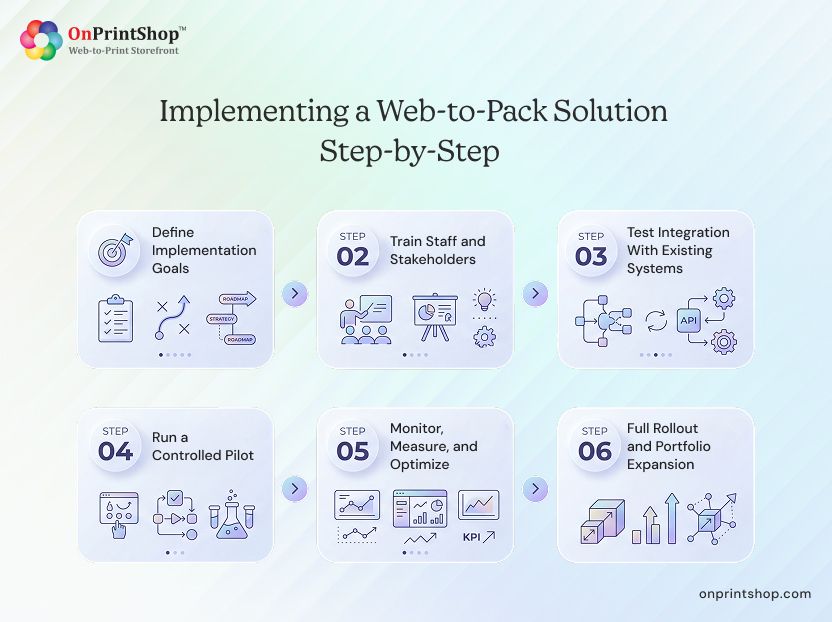
Step 1: Define Implementation Goals
Set specific, measurable objectives before beginning: target reductions in order processing time, pre-press hours per job, or reprint rate. Define which packaging product types will be live at launch versus phased in. Document integration requirements for MIS, ERP, and shipping carriers. Clear goals make evaluation at the end of each phase objective.
Step 2: Train Staff and Stakeholders
Sales, pre-press, production, and customer service teams all interact with the platform differently. Role-specific training with documentation, video tutorials, and test scenarios for each function reduces adoption friction. Identify internal champions in each department who can support peers during go-live.
Step 3: Test Integration With Existing Systems
Run a complete mock order through the entire system: from customer configuration on the storefront, through dieline generation and preflight, to MIS/ERP job creation, production scheduling, and shipping label generation. Validate that data flows correctly at every handoff point before going live.
Step 4: Run a Controlled Pilot
Before full-scale launch, run 20–50 real orders through the platform with a select group of customers or internal test buyers. Monitor for dieline accuracy, pricing errors, preflight false positives, and integration failures. Collect structured feedback from pre-press and production teams.
Step 5: Monitor, Measure, and Optimize
After go-live, use reporting and analytics to track KPIs against implementation goals: order processing time, pre-press hours per job, reprint rate, customer approval cycle time, and on-time delivery rate. Collect ongoing customer feedback on the self-service ordering experience.
Step 6: Full Rollout and Portfolio Expansion
After validating the platform with initial products, expand the packaging catalog: add new dieline templates, new substrate options, new finishing configurations, and new customer storefronts. Integrate additional B2B brand portals for key accounts.
Typical Implementation Timeline: Simple configurations with no deep MIS integration: 4–6 weeks. Standard implementations with MIS/ERP integration and multi-storefront setup: 6–10 weeks. Complex enterprise deployments with custom API integrations and large dieline libraries: 10–12 weeks.
Benefits of Web-to-Pack: For Printers and Their Customers
The impact of a well-implemented web-to-pack solution is measurable on both sides of the transaction, for the print packaging business and for their customers.
Advantages of Using a Web-to-Pack for Print Packaging Businesses
Process More Orders Without Adding Headcount
Automated intake, dieline generation, and preflight eliminates 60–80% of manual pre-press handling time per standard packaging job.
Fewer Reprints, Lower Pre-Press Cost
Preflight validation before order placement targets the root causes of packaging reprints, reducing reprint frequency by an estimated 30–50% compared to manual workflows.
Scalable Order Capacity with 24/7 Self-service Ordering
Customers can configure, price, proof, and place orders at any time without involving sales staff, expanding order capacity without adding headcount.
Improved Short-run Profitability
Automation eliminates the fixed pre-press overhead that makes small-run packaging jobs unprofitable, unlocking the fast-growing short-run and D2C packaging market.
Stronger Customer Retention
Customers using a B2B portal for repeat packaging orders are significantly more likely to reorder from the same supplier than those navigating a manual email-based process.
Advantages of Using a Web-to-Pack For End Customers
Intuitive Ordering Enables Self-service Configuration
Customers can configure packaging dimensions, materials, finishes, and quantities without a sales consultation, receiving instant pricing and a 3D preview in real time.
Faster Delivery and Faster Turnaround
Automated pre-press processing delivers production-ready files faster than manual workflows, enabling same-day or next-day order-to-production milestones for standard configurations.
Precise and High-quality Customization
Customers control the exact specification of their packaging, dimensions, materials, print finishes, variable data, with 3D proofing confirmation before any material is committed.
Brand Control Brings Consistency at Scale
B2B portal users can access locked artwork templates and approved product configurations, ensuring brand compliance across all packaging orders regardless of who places them.

Packaging Trends That Web-to-Pack Solutions Address
Several structural shifts in the packaging industry are driving the adoption of web-to-pack platforms. Understanding the package industry trends helps businesses assess where the market is heading and how purpose-built software supports a strategic response.
1. Demand for Personalised Packaging
Modern consumers expect packaging that reflects their relationship with a brand, custom names, seasonal designs, limited-edition prints, and messages that create memorable unboxing moments. Web-to-pack platforms support variable data packaging and print-on-demand workflows that make high-mix personalised packaging economically viable at short run lengths.
2. Growing Demand for Short-Run Packaging
E-commerce growth, inventory reduction pressure, and faster brand refresh cycles are driving demand for shorter packaging runs with higher variety. Web-to-pack automation makes short-run packaging profitable by eliminating the manual pre-press overhead that previously priced small runs out of the market.
3. Sustainable and Eco-Friendly Packaging
Environmental regulations and consumer preference are accelerating the shift to sustainable substrates, recycled board, compostable films, and reduced-material structural designs. Web-to-pack platforms support sustainable packaging automation through digital proofing (eliminating physical sample rounds), print-on-demand (eliminating overproduction waste), and analytics that help packaging businesses measure and reduce material consumption.
4. Smart Packaging with QR Codes and NFC
The smart packaging market is growing rapidly, with brands adding QR codes and NFC (Near Field Communication) tags to packaging for product authentication, traceability, loyalty program integration, and augmented reality experiences. Web-to-pack platforms support the creation of branded QR codes embedded in packaging artwork and, increasingly, NFC-enabled packaging ordering for connected packaging programs. This is an emerging area with significant growth trajectory as unit costs for NFC tags continue to decline.
5. D2C Brand Packaging Personalisation
Direct-to-consumer brands operate without retail intermediaries and therefore control their own packaging entirely. They need low-MOQ custom packaging that can be ordered and replenished quickly, often weekly or monthly for fast-moving product lines. Web-to-pack solutions designed for D2C order profiles give brand teams self-service ordering with brand-controlled templates, making packaging reorders as straightforward as restocking office supplies.
6. AI-Assisted Packaging Design
AI tools embedded in web-to-pack platforms are lowering the design skill barrier for packaging customers. Logo vectorization, background removal, image upscaling, and generative design suggestions allow SME customers to produce print-ready packaging artwork without professional design support. This expands the addressable market for packaging printers beyond customers with in-house design capability.
ConclusionWeb-to-pack is not a future-state investment for print packaging businesses, it is the operational infrastructure required to compete in the current market. Rising demand for personalised packaging, D2C brand growth, and accelerating e-commerce packaging volume are structural trends that reward businesses with automated, scalable ordering systems and penalise those still relying on manual quote-and-proof workflows.For packaging businesses evaluating their options, the clearest next step is to see how a production-grade platform handles your specific packaging products. OnPrintShop's AI-powered web-to-pack solution supports real-time 3D preview, automated preflight validation, parametric pricing, B2B brand portals, and full MIS/ERP integration, purpose-built for print packaging providers.Request a demo to see how the platform handles your packaging workflow, from first order to production-ready file.