



Summary: Thinking about launching an online photobook printing business but unsure where to begin? This comprehensive guide will walk you through a step-by-step approach and provide actionable insights to help you confidently kickstart your photo album printing business in 2026.
The way people order photo prints has fundamentally changed. Customers now expect to personalize designs, preview their products in 3D, and place orders from any device, from anywhere in the world. The brick-and-mortar print shop is no longer the default.
There is a saying: a moment may pass, but a picture keeps it alive. Photobooks are one of the most powerful ways to preserve those moments, and demand for them continues to grow year after year.
As personalized photo products become a mainstream consumer expectation, 2026 is an ideal time to enter this market. Whether your focus is personal keepsakes, professional portfolios, or product catalogs, photobooks offer strong margin potential and recurring demand.
To get started, you need AI-powered photobook design software, a clear business strategy, a realistic budget, and the drive to build something.
Here is everything you need to know to launch a profitable photobook printing business in 2026.
How Photo Book Printing Business Market Works?
Photobooks serve two distinct audiences. For consumers, they are treasured gift items and personal keepsakes. For professionals, including wildlife photographers, fashion designers, and fine artists, they are portfolio tools that present creative work with a level of quality that digital screens cannot replicate.
According to market data, the global photobook and album market size is projected to grow from USD 3.62 billion by 2026 to USD 5.61 billion by 2034, at a CAGR of 5.61% during the forecast period (2025-2034).
This sustained growth is driven by several converging factors: consumers printing fewer standalone photos but investing more in premium bound photobooks, a rise in AI-assisted design tools that reduce the effort required to create professional layouts, and growing mobile-first ordering behavior that makes it easier than ever to convert social media photo libraries into products.
Utilizing personalized print software to launch a photobook business in 2026 positions you to capture a market that is both large and actively expanding.

7 Factors to Consider Before Starting a Photo Album Business Online
A profitable print business requires a solid foundation before any technology is purchased, or marketing is launched. These are the seven essential factors to evaluate before starting your photo album printing business.
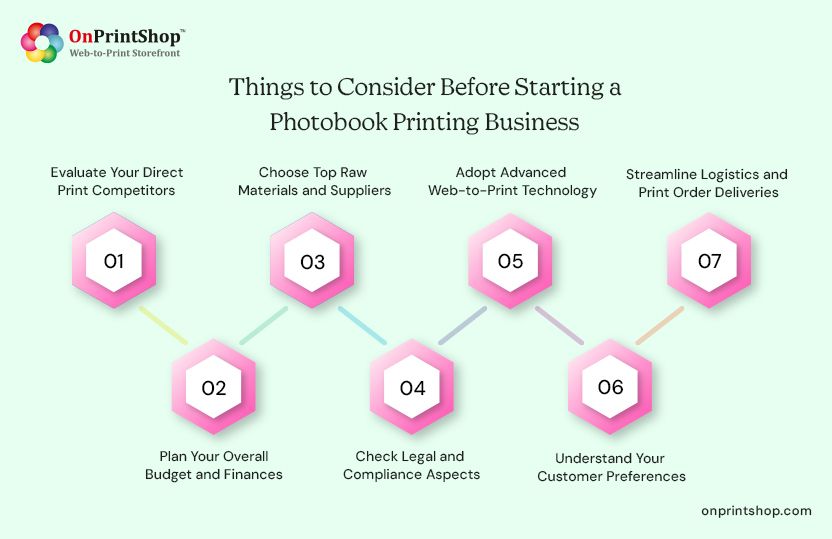
1. Evaluate Your Direct Print Competitors
Analyze your competitors by identifying their strengths, weaknesses, pricing, and unique selling points (USPs). Look for underserved customer segments, product gaps, or weak design experiences you can improve on. A clear picture of the competitive landscape makes it easier to position your photobook business effectively.
2. Plan Your Overall Budget and Finances
Carefully plan your finances and find a cost-effective way to establish your online print business by calculating initial startup costs, including equipment, raw materials, printing software, employee wages, and ongoing maintenance expenses. Factor in the cost of web-to-print software subscriptions and ecommerce storefront setup from day one.
3. Choose Top Raw Materials and Suppliers
Whether managing in-house inventory or partnering with trade print suppliers, ensure access to premium-quality raw materials, including paper stocks, binding materials, cover options (softcover, hardcover, linen, lay-flat), and other printing necessities. Material quality directly affects customer perception and repeat purchase rates.
4. Check Legal and Compliance Aspects
Obtain the necessary permissions to operate legally and ensure compliance with regulations, including business registration, taxes, copyright, and privacy policies. If you plan to accept user-uploaded images, ensure your terms of service address content ownership and usage rights clearly.
5. Adopt Advanced Web-to-Print Technology
Consider adopting a robust web-to-print software to automate complex operations like order management, design customization, print estimation, and approval workflows. The right platform increases productivity and positions your business to scale without proportionally increasing headcount.
6. Understand Your Customer Preferences
Customers ordering photobooks have diverse needs. Personal buyers prioritize ease of use, template variety, and mobile-friendly design tools. Professional photographers and businesses require advanced layout controls, bulk ordering, and branded storefronts. Understanding which segments you serve helps define your product range and feature priorities from the start.
7. Streamline Logistics and Print Order Deliveries
Partner with reliable shipping providers, overcome cross-border shipping challenges to serve international customers, and enable print order tracking to ensure timely, accurate deliveries. International fulfillment capacity significantly expands your addressable market.
Quick Steps to Start a Photo book Making Business
With the foundational factors in place, here is a practical step-by-step approach to launching your photobook printing business in 2026.
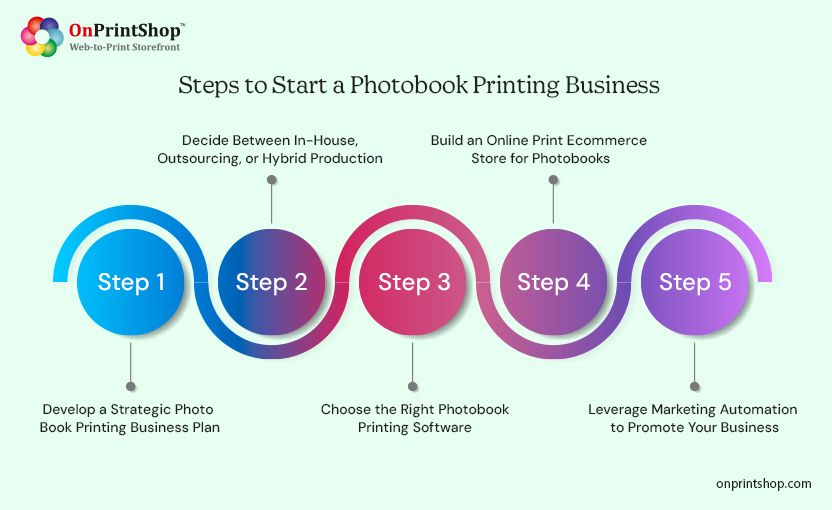
Step 1: Develop a Strategic Photo Book Printing Business Plan
Research the photobook market to understand current demand, popular product formats, and emerging trends such as AI-generated layouts, mobile ordering, and sustainability preferences.
Define your product range upfront. Popular formats include softcover and hardcover photobooks, matte and glossy pages, linen, lay-flat, and leather-bound options. Evaluate each format against availability, profit margin, cost, and storage requirements before finalizing your catalog.
Step 2: Decide Between In-House, Outsourcing, or Hybrid Production
Your production model depends on your business size, available capital, and long-term growth targets. In-house printing gives you quality control but requires equipment investment. Outsourcing reduces overhead but depends on supplier reliability. A hybrid approach offers flexibility as you scale. Consider integrating with trade print suppliers like 4over and PromoStandards to expand your product line without managing additional inventory.
Step 3: Choose the Right Photobook Maker Software
Understand web-to-print-driven photobook software that offers advanced design customization, spine management, autofill features, AI-assisted layout suggestions, and other photobook-specific capabilities. Ensure the software integrates with your existing tools, generates high-resolution print-ready output, and can scale as your order volume grows.
Step 4: Build an Online Print Ecommerce Store for Photobooks
Once you have selected your web2print software, go online and reach global customers via a powerful print ecommerce storefront. Your storefront should offer a user-friendly interface, seamless navigation, intuitive design tools, accurate price estimators, mobile responsiveness, and support for social media image imports to simplify the customer journey from photo selection to checkout.
Step 5: Leverage Marketing Automation to Promote Your Business
Utilize a modern marketing automation tool to execute targeted campaigns with centralized tracking. Marketing automation lets you monitor each customer’s ordering journey, identify product preferences, deliver personalized messaging, and re-engage past buyers. For a photobook business, automated reminders tied to anniversaries, graduations, and holidays can be particularly effective for driving repeat orders.
Benefits of Utilizing Web to Print for Photo Album Creating Business
Web-to-print technology is purpose-built for the demands of modern print commerce. Here is how it directly benefits a custom photo album printing business.
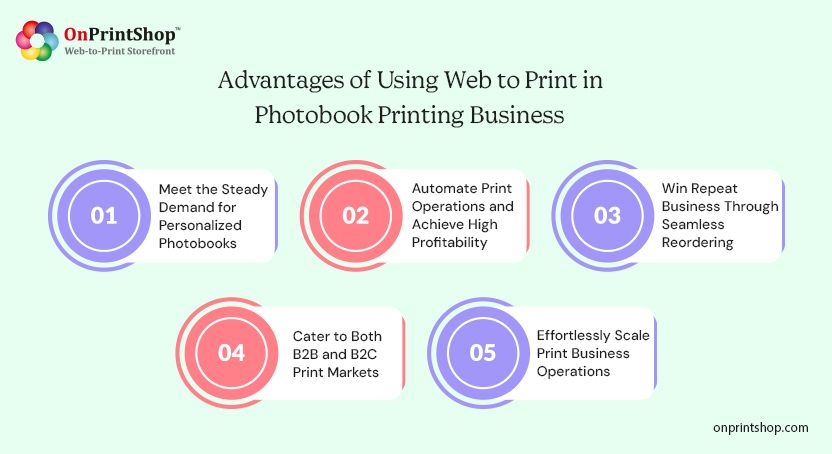
1. Meet the Steady Demand for Personalized Photobooks
Consumers increasingly expect products that reflect their personal style and memories. Photo album printing software with seamless design customization, AI-assisted layouts, and social media image imports lets you meet this demand without requiring technical expertise from customers.
2. Automate Print Operations and Achieve High Profitability
End-to-end automation of order intake, preflight checks, production routing, and invoicing removes bottlenecks and reduces manual errors. Staff can focus on growth activities rather than repetitive operational tasks, which results in lower overhead and higher profitability.
3. Win Repeat Business Through Seamless Reordering
Web-to-print platforms give customers access to their order history, making reorders simple and fast. This capability is one of the most reliable mechanisms for winning repeat business and building customer loyalty in the photobook market.
4. Cater to Both B2B and B2C Print Markets
Whether you operate B2B or B2C, web-to-print software accommodates the full range of customer requirements, from a single personalized photobook for a family milestone to bulk branded product catalogs for a corporate client.
5. Effortlessly Scale Print Business Operations
By partnering with a top-notch W2P provider, you can integrate with new suppliers, launch additional product lines, and expand into new geographies without rebuilding your technology stack. Scalability is built into the platform architecture rather than bolted on later.

5 Common Mistakes to Avoid in Photo Book Designing Business
Even well-planned photobook businesses can lose customers through avoidable operational and design mistakes. These are the five most common pitfalls to eliminate from the start.
1. Cluttered Print Ecommerce Website Design
A cluttered or confusing storefront creates friction and drives away potential customers before they place an order. Use creative web-to-print storefront themes with a clean, minimalist structure that guides visitors naturally toward product selection and checkout.
2. Inconsistent Branding in Photobook Designs
Without a robust design management system, fonts, color schemes, and logos can appear inconsistently across products, which undermines professional credibility. Invest in a modern web to print online designer that enforces brand consistency across all photobook layouts and templates.
3. Unclear or Low-Quality Product Images
Poor-quality product images with low resolution or insufficient detail reduce buyer confidence and directly lower conversion rates. Use web-to-print systems that display high-resolution images and offer 3D photobook previews so customers can evaluate the final product before placing an order.
4. Missing Personal Touch on Photobooks
Customers choose photobooks specifically because they want something personal. A design experience that lacks customization options defeats this purpose. Allow customers to upload their own images, build layouts from scratch, and access pre-designed templates with flexible text placement and style controls.
5. Complicated Checkout Experience
A checkout process with too many steps, unclear instructions, or limited payment options is the primary cause of abandoned carts in print ecommerce. Choose a W2P provider that offers a quick 'Buy Now' path, streamlined step indicators, and multiple payment methods to reduce friction at the final conversion point.

Transform Your Online Photo Album Printing Business with OnPrintShop
Launching a personalized photo albums online store requires technology that handles both customer-facing design experiences and back-end print operations without friction. OnPrintShop is built specifically for this purpose.
AI-Enabled Design Personalization Capability
Enable customers to create personalized photobook designs using AI-driven image generation, automated layout suggestions, text translation tools, and a full library of pre-designed templates. AI assistance significantly reduces design time and improves first-attempt quality for customers who are not experienced designers.
Simplify Design Uploads and Customization
Allow 3x faster file upload speeds, provide a mobile-friendly interface, drag-and-drop functionality, background removal options, and direct social media image imports from Instagram, Facebook, and Google Photos to simplify the design process from any device.
Unlimited Design Tools and Autofill Options
Provide customers with unlimited layout options, image enhancement tools, and autofill functionality that automatically populates photobook pages from uploaded image collections, giving buyers a complete draft to refine rather than a blank canvas to fill.
Advanced Spine Management with Automatic Adjustments
Enable your customers to create professional designs with automatic spine width and structure adjustments as pages are added or removed. This eliminates one of the most technically complex aspects of photobook creation for end users.
Complete Design Control and Full-Page Management
Let customers lock specific pages to include brand messaging and offer full-page management to add, remove, rearrange, or personalize individual pages throughout the design process.
Photobook Flip Preview for a Realistic Page-Flip Experience
Customers can view a digital representation of their final photobook that replicates the physical page-flip experience, allowing them to spot errors and confirm their design before placing an order. This feature reduces revision requests and increases buyer confidence.
Flexible Pricing from Budget-Friendly to Premium Options
Set tailored pricing based on page count, individual layout types, cover materials, and finish selections. Flexible pricing structures let you cater to both budget-conscious personal buyers and premium professional clients without managing separate product catalogs.
Beyond these print-specific capabilities, OnPrintShop provides a SEO-friendly web-to-print storefront designed to support organic search visibility. The platform supports integration with 300+ third-party systems, including shipping carriers, payment gateways, and marketing tools, and includes powerful reporting and analytics to support data-driven decisions that maximize ROI.
Wrapping It Up!Launching a photobook making business in 2026 is no longer a daunting task due to the technological advancements in the print industry. Also, innovative photobook printing software for printers are built with advanced web to print technology to stay a step ahead of the competitors.Irrespective of your business size and budget constraints, by partnering with a robust W2P provider like OnPrintShop, you can effectively strategize your entrepreneurial goals and move forward to start your photo album printing journey.So, why wait? Request a demo with OnPrintShop today to get personalized assistance and bespoke functionalities to kickstart your very own photo book printing business.