





Version 5.0
At OnPrintShop, we are continuously evolving our solution capabilities to help you deliver the best services to your customers and grow your online business. We are releasing PhotoBook Solution Version 5.0 which includes new features and enhancements to meet the changing requirements of our clients. Apart from the new features as per our standard solution in OnPrintShop Version 4.5 and OnPrintShop Version 5.0, below are the specific changes included in the PhotoBook Solution Version 5.0.
Advance Search (Product, Templates & Contents, Themes):
The search box we have been providing for storefront generally in header section (which can be enabled from Store Configuration Settings) is now more enhanced.
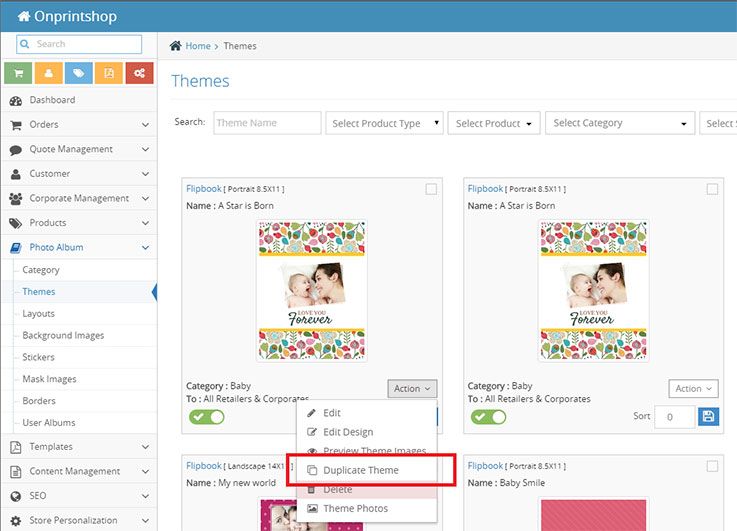
Theme section – Duplicate Theme functionality: Using this functionality admin can quickly create different theme with variations by duplicating any of the available themes in their solution.
Price can be set in Inactive mode:
For photobook products now it is possible to set prices for a size in inactive mode. So such sizes will not be available in front store.
Filter option for Sticker Type:
On sticker listing page added filter option for sticker type, so admin can filter out scaler (jpg, png) stickers & vector (pdf, svg) stickers.
Sort Order for Layouts:
Now admin can also set sort orders for layouts from layout listing. Using it admin can set order of mirrored/related layouts to be displayed together in studio.
Price defining method filter on product listing page in admin:
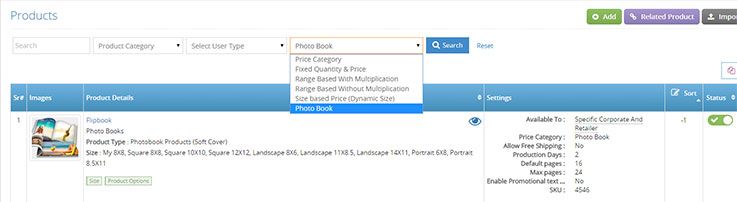
Admin can filter product listing by Price Defining Methods. Choose “Photobook” Option for all photobook specific products (Photobook, Greeting cards & Posters)
Studio Image Usage Count:
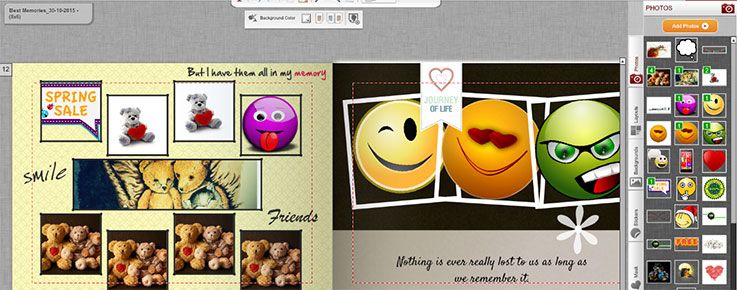
This will be shown for photos, backgrounds, stickers sections. This will be helpful for users to differentiate between photos which are used and which are not used in the album and also evaluate how many times particular image is used the album.
Corporate Landing Page:
If ‘Quick Checkout’ option is enabled, corporate customers will see a different landing page upon login, showing up to five different tabs:
- Designs (Template Designs)
- Ready to Buy (Predefined products)
- Album Products (Photobook specific products(Photobooks, Greeting cards & Posters))
- Upload Artwork (‘Upload Design’ products)
- Inventory (Remaining Inventory from past orders)
- Portfolio (Designs in Customer’s Portfolio)
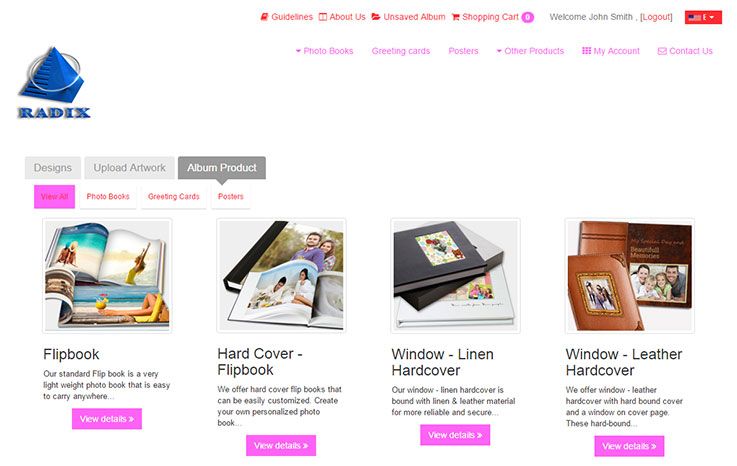
Customer can easily navigate all above sections within single screen and place order within few links. Above settings are setup based on specific corporates.
Advance Search (Product, Templates & Contents, Themes)
The search box we have been providing for storefront generally in header section (which can be enabled from Store Configuration Settings) is now more enhanced. Customer could only search with product names earlier, but they can now search any keyword and click on ‘See more results’ (Advance Search) option which will populate at the end of the search dropdown. This link will open as a new page and it will enable them to search using any keyword and the entered keyword will be compared with available data of Themes, Products, Templates and content.
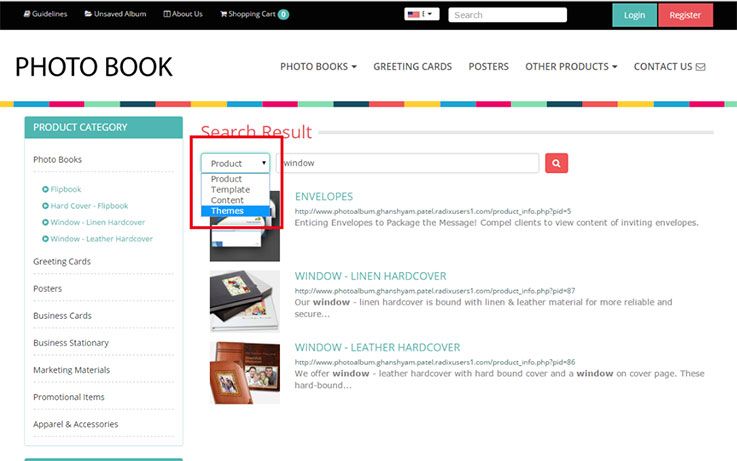
Header search will be based on product name, category name, short description and SKU number. Advance Search will include more parameters as stated below:
- Themes: Theme name, Theme category name.
- Product: Product name, Product Category name, SKU, Short description, Long description, Additional options, Size title.
- Templates: Template name, Template Category name, Metatag keyword, Metatag description.
- Contents: Page title, Content, Meta keywords, Meta description.
- 16 May, 2026 OnPrintShop Version 13.0
- 28 December, 2025 OnPrintShop Version 12.3
- 7 September, 2025 OnPrintShop Version 12.2