





Version 12.2
Introducing OnPrintShop v12.2 – designed to help print providers work smarter, sell faster, and deliver exceptional customer experiences. This minor release brings powerful new capabilities such as adaptive-size product templates, kit personalization, and advanced product filters that make large catalogs easy to navigate. We’ve also streamlined the buying journey with a faster checkout flow and enabled effortless design reuse across products. Alongside, enhanced shipping accuracy and smarter SEO tools ensure your operations run smoothly and your storefront ranks higher.
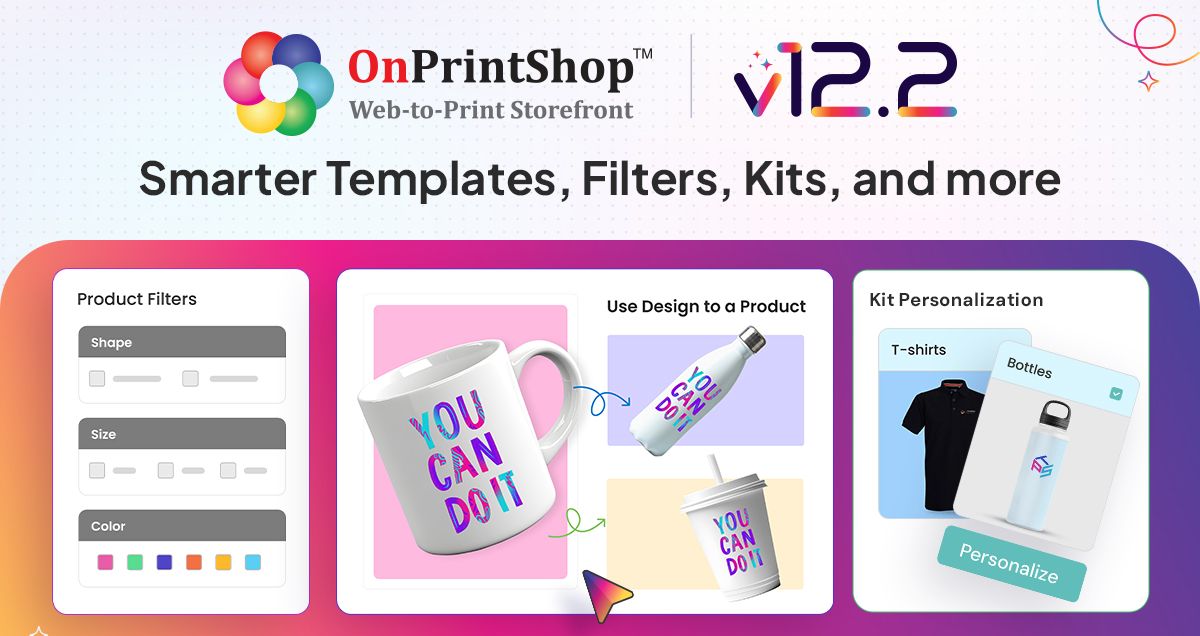
What’s New:
1. Introducing Adaptive-Size Product Templates
We have introduced Adaptive-Size Templates to enhance design flexibility and simplify template management. This allows admins to create templates and enable reuse across multiple products with consistent aspect ratios to improve efficiency in template creation.
2. Use the Same Design for Other Products
Now, customers can effortlessly carry their design across products right from the product page. With just a click, they can preview and apply the same design instantly, saving time, simplifying the buying journey, and opening more opportunities to explore and purchase related products.
3. Print Products Now Available in Kit
The print products can now be configured as part of the Kit product offering. Customers can also personalize each print product within the kit, offering flexibility while maintaining a unified buying experience.
4. Filters to Quickly Narrow Down Products
In OnPrintShop v12.2 we have introduced dynamic filters on product category pages to enhance product discovery. Locating specific products has become easier, improving product visibility, reducing browsing time, and helping users find the most relevant products quickly. The filters also allow customers to easily narrow down products by attributes such as colour, material, paper type, and top-selling status.
5. Template and New Pattern Type in Pattern Creator
Admins can now create templates and layouts with greater ease, while Step & Repeat patterns support multiple image uploads. We’ve also introduced a new Bricks pattern type, giving more creative flexibility. Users can mix and match images to design or customize patterns exactly the way they want.
6. Cover Page Personalization in Document Print
Document Printing Solution now offers more flexible cover page options. Customers can upload their own covers or visually personalize the front and back, while admins gain greater control to deliver tailored cover choices based on product needs. To ensure consistency, admins can also set rules so uploaded PDFs meet specific page count requirements, including covers when enabled.
Enhancements for an edge:
1. Configurable Product in Offline Order
In OnPrintShop v12.2 we have added functionality for configurable product type to streamline order creation for offline customers. This allows admins to define products with customizable options during order entry, improving flexibility in handling offline requests where pre-configured products may not apply.
2. Password-less Login & 2FA OTP via email for B2B Customers
Admins can now set up domain-restricted logins for B2B customers. This allows users from approved email domains to log in without a password. Their account is created instantly after OTP verification, making onboarding faster and easier. For added protection, admins can also enable email-based Two-Factor Authentication (2FA), giving B2B users an extra layer of security.
3. Tier-based Pricing for Every User Group
A tier-based markup pricing feature has been launched to enhance pricing flexibility and help varied business models. This allows admins to define pricing tiers, assign markups globally or per product, and link user groups to specific tiers. The feature simplifies tier management, enables product-specific overrides, and differential pricing based on customer group and store type.
4. Optimised Checkout Flow
The checkout experience for guest customers has been streamlined for faster order completion. When customers select local pickup, they no longer need to provide a shipping address, reducing unnecessary steps and making the process quicker and more convenient.
5. Advanced SEO Enhancements
We’ve strengthened SEO to help your store gain better visibility on search engines. Multilingual sites now re-index seamlessly, while an automatic sitemap is generated and linked in robots.txt for smoother crawling. To boost rankings further, duplicate meta tags are reduced, non-essential pages are hidden, and ‘no follow’ tags are applied where needed, ensuring cleaner, smarter SEO performance.
6. Simplified Quote Management
Quote management for configurable products has been enhanced with filters for sales agent and printer, sales agent details in quotes, and the option to apply or bypass master option rules to reduce errors. Vendor and quantity-based pricing for offline quotes now auto-fills relevant data for improved accuracy.
7. Shipping Related Enhancements
- The system allows product-specific shipping settings to be managed at the individual local pickup address level to improve shipping flexibility and inventory accuracy. This enhancement enables admins to define product availability per pickup location, enabling better fulfilment logic and enhancing the customer’s pickup experience.
- We have introduced greater flexibility to the "Shipping Cost by Order Subtotal" method by allowing percentage-based pricing and zone-specific configurations. These updates enable admins to set dynamic shipping charges tailored to different regions and cart values, aligning shipping strategies with business needs and regional policies.
- When enabled, the new “Printer-wise Shipper Address” feature calculates shipping rates and labels using a printer’s specific “Ship From” address. If disabled, the system defaults to the primary address in general settings, ensuring accurate and flexible shipping with carriers like UPS and FedEx.
- In OnPrintShop v12.2 we are enhancing shipping rate accuracy by considering product dimensions and weight. This ensures precise rate calculations by accounting for package size, material thickness, empty box weight, and extra space. It streamlines logistics, improves shipping reliability, and minimizes incorrect charges.
8. Minor Enhancements
Order Module Section:
- Customizable quote and order product ID patterns have been enhanced to enhance flexibility and consistency in ID generation. Admins can now define specific formats for quote IDs and use a new variable for system-generated order product IDs. This ensures improved clarity, control, and alignment with internal workflows.
- Production Time Spent summary is available in each order history tab to enhance order tracking and improve production transparency. In addition, a new Status Change column has been added to the Production Time Spent Summary report.
- Admins can now configure whether reward points are credited at order placement or upon order completion to provide greater control over reward point distribution. The system also handles pending, approved, and cancelled reward points, improving transparency and flexibility in loyalty management.
- We have added a dedicated Payment Request tab within the Order Actions to streamline payment management and improve admin efficiency. This tab allows admins to easily create and manage payment requests for the entire order.
Product Section:
- With the new “Assign Option/Attribute to Products” feature, admins can assign a master option to multiple products simultaneously, reducing manual effort and ensuring consistency. They can also selectively sync configurations during bulk assignments.
- To improve the visual shopping experience, the product gallery now allows multiple images for each attribute or option combination. Customers can view detailed visuals for every variation, while admins can easily upload and manage these images in bulk for better product presentation.
Admin Panel:
- To improve planning and order visibility, Total Production Days and Production Due Date are now shown in the price and weight details section, visible only to admins on the storefront and admin panel, wherever the Price Calculator is used. This gives quick access to estimated timelines for faster decisions and greater production transparency.
- A new feature in OnPrintShop v12.2 allows admins to import FAQs in bulk using a structured import interface to streamline the FAQ management process. This helps reduce manual effort, ensure consistency, and speed up FAQ content updates.
- To enhance data security and compatibility with various printer systems, support for FTPS and SFTP protocols has been added, enabling secure and flexible file transfer configurations for different printing environments.
- SVG file compatibility has been added for website logo uploads. This enables scalable, high-resolution logos that ensure consistent, high-quality branding across the website and email communications.
- We have released a new parameter in the individual product section in the homepage product blocks. This lets you display specific products using their IDs, offering greater control to showcase key items and promote targeted marketing efforts.
- A new alert system notifies admins once every 48 hours of email delivery failures. A warning notification is sent to the configured email address, and a dashboard alert is shown for current issues, helping you catch and address email problems proactively.
Storefront:
- The Search functionality on the Saved Designs page can now help users search for a product name and size, excluding custom-size products.
- Dynamic help templates will now display multi-page templates with fold option, and orientation, improving overall template usability.
- To improve user experience and simplify product navigation, we have enabled clickable product titles in the shopping cart. This lets users access product details directly from the cart, enhancing convenience and efficiency.
Designer Studio:
- The die-cut, document print, and pattern product preview are now more interactive and user-friendly. Admins can set default events to ensure consistent uploads and a smoother design flow. Users can apply effects, adjust settings, and see real-time changes for a better design viewing experience
- A new setting, Include Non-Printable Elements in Print Ready File, in the Studio settings, allows admins to choose whether non-printable elements should appear in the final print-ready file. This provides greater control over the output file’s content, helping ensure cleaner prints while retaining design references in the background when needed.
- To enhance design precision and improve user experience, ‘Enable Image Straightening’ has been added to the Designer studio. This feature allows users to easily align tilted or rotated images during customization, ensuring a cleaner and more professional output.
- 3D models are now visible in the upload center proof flow, and options/attributes-wise, 3D models will be displayed on the browse design. This gives customers an interactive preview, helping them visualize the final product better.
- To enhance visual accuracy, preview images of uploaded PDFs retain transparency, giving users a precise representation of their artwork. This ensures greater confidence during the review process for designs with transparent elements.
9. Third Party Integrations:
Enhanced 4over Product Sync and Order Flow:
- To simplify and speed up order processing, we have rolled-out a dedicated interface for mapping OnPrintShop products with 4over products and transferring orders efficiently. This enhancement ensures smoother integration between OnPrintShop and 4over, reduces manual effort, and improves order accuracy by suggesting previously mapped products for future transfers.
- 4over Help Templates are automatically synced and displayed with corresponding OnPrintShop products to enhance usability and ensure consistent design guidance. This allows admins and customers to access relevant design guidelines easily, improving design accuracy and simplifying customization.
- To streamline the purchase process for non-print products from 4over, an option has been introduced to bypass the file upload step. This enhancement allows customers to proceed to the cart directly, improving user experience and reducing unnecessary steps for products that do not require file submissions.
- We have released a CSV file upload feature in the price calculator for 4over ticket products that require variable numbering. The objective is to ensure accurate data input for products that depend on sequential or unique numbering, improve order accuracy, and streamline the upload process for such products.
Reliable Data with Server-Side Tracking
To improve the accuracy of purchase tracking in GA4, server-side event tracking has been implemented for online orders. This ensures successful purchase events are captured even when customers do not return to the site after completing payment via redirection-based methods.
Support for the Facebook Conversions API has been added to enhance ad tracking accuracy and improve campaign performance insights.
Captcha Verification for Smooth Login Experience
Admins can now test and validate Captcha settings before saving, preventing errors from misconfigurations. This ensures a seamless setup and uninterrupted access for both Admin and Storefront users.
Upgraded Google Gemini AI
We have upgraded the Google Gemini AI service under Generative AI settings to enhance content quality, product descriptions, and personalized messages.
Upgrades to The Core Solution
This latest update of OnPrintShop v12.2 includes bug fixes, performance improvements, and security updates.
- 13th September, 2026 OnPrintShop Version 13.1
- 16 May, 2026 OnPrintShop Version 13.0
- 28 December, 2025 OnPrintShop Version 12.3