

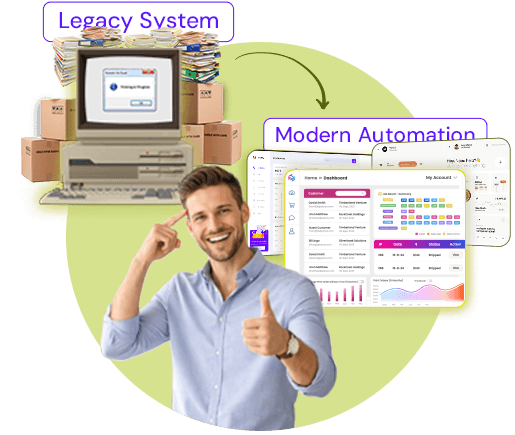

Summary: Modernized print workflows use automation-led technologies to streamline print operations, which are otherwise difficult to manage using legacy systems. This blog discusses how legacy print systems limit growth, how modern workflow management systems support scalability, and actionable strategies to help you modernize your print business.
The print industry is evolving rapidly due to increased customer expectations in terms of complex print personalization and the requirement for shorter turnaround times. Since legacy systems are not designed to meet these modern demands effectively, print businesses utilizing such systems stay behind the competition.
Modernizing your print workflow is not just about adopting an advanced print workflow automation software, it's also about staying up to date with the latest trends and technologies that help you meet the modern print business requirements.
Driven by the increasing demand for automation and print efficiency, the global print workflow software market is anticipated to reach USD 4.8 billion by 2032.
Keep reading to explore why legacy print workflows slows down print business operations, the importance of modern print workflows, and how it helps with scalability.
Why Print Businesses Are Struggling with Legacy Workflows
Print businesses struggle with legacy workflows because manual print operations with disconnected systems make it difficult to operate and scale efficiently.
Infact, many print businesses still function on print systems designed for a time when:
- The order volumes for print jobs were predictable
- Print personalization requirements was limited
- The total time taken to complete a print job was slower
Today’s printing landscape is completely different and fast-paced, requiring a more robust system.
Key Challenges with Legacy Print Systems
The key challenges with legacy print systems include fragmented systems, limited real-time visibility, and increased manual intervention, leading to more errors, and slower turnaround times.
Legacy print business workflows include the following challenges:
- Manual print job intake and data input across multiple systems
- Spreadsheet-based systems for order tracking and approvals
- Discovering errors only after problem occurs and then fixing them
These challenges lead to issues like slower turnaround times, increased reprint rates, poor visibility into print operations, and limited scalability for print businesses.

What Does a Modern Print Workflow Look Like?
A modern print workflow is automation-based, supports integration, and offers a centralized platform for print orders to move seamlessly from order intake, prepress, production, shipping, and fulfillment.
With a unified approach and real-time data sharing, this workflow provides full visibility across every stage of the print lifecycle.
To understand this better, let’s discuss the core components of a modern print workflow. A modern print business workflow includes the following:
- Order management from multiple sales channels
- Automation-led design proofing and approvals
- Rule-based print job scheduling to production
- Integrated systems with seamless data syncing
While legacy systems involve moving print jobs manually between different teams, a modern print workflow moves automatically between systems.
Why Workflow Modernization Is Essential for Scaling Print Operations
Scaling print operations easily as a new-age print business requires workflow modernization. This not only involves adding more equipment and hiring more staff, it also includes handling increased order volumes, adding more products, and reaching more customers.
Here’s why printers using outdated print management systems struggle to scale:
- With every new print order received, manual workload increases
- The number of errors rises as product requirements become complex
- Visibility into print orders decreases due to fragmented systems
Modern and scalable print workflows are designed in a way that they can be scaled as your print business grows. It allows print businesses to grow, enabling printers to keep control over the risk factors and unnecessary cost spendings.
Legacy Print Workflow vs Modern Print Workflow
Print businesses utilizing modern print workflows benefit from smarter and efficient operations as compared to those using legacy print workflows. Here’s a quick comparison to help you understand the difference between both the workflows.
How Modern Print Workflow Automation Helps Print Businesses Scale?
Modern print workflow automation helps print businesses scale by offering benefits that support growth and success. Let’s see what these include.
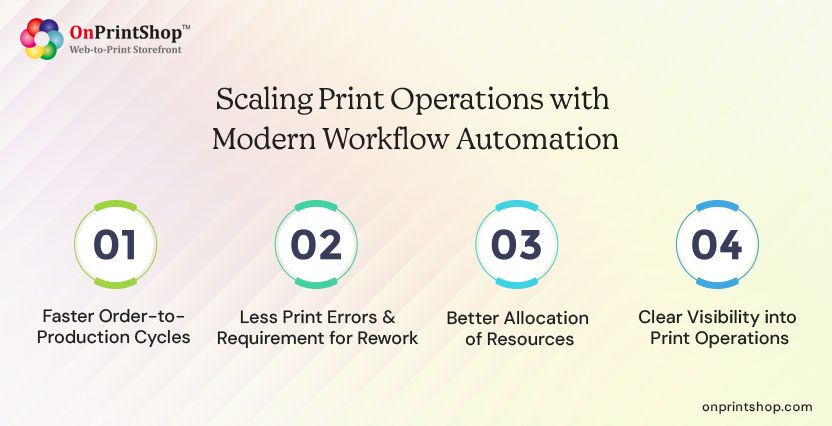
Faster Order-to-Production Cycles
Automation eliminates manual operations that take place from order intake, prepress, production, to shipping, and fulfillment.
It does this by automating operations from start to end, including order capture, print job routing, design proofing, and production scheduling. These capabilities allow print businesses to meet tight delivery timelines and achieve shorter turnaround times.
Less Print Errors & Requirement for Rework
With digital print workflow automation, print business owners can benefit from features like automated file checks and rule-based approvals.
Such features help to prevent errors before job reaches print production. This eliminates the need for reprints, reduces material wastage, and unnecessary expenditures due to last minute corrections.
Better Allocation of Resources
Capabilities like real-time job visibility across operations, automated production scheduling, and rule-based job assignment allow printers to allocate resources effectively.
By utilizing real-time data, print businesses can track jobs, schedule them, and balance workloads between machine and teams. With this, printers can easily meet tight deadlines, reduce operational costs, and scale without complexity.
Clear Visibility into Print Operations
A centralized dashboard in the modern print production workflow automation system provides printers with a unified view of all print operations.
While reporting & analytics tools allow printers to get valuable insights on performance metrics, helping to enhance decision-making. This benefit allows printers to identify issues before they become major problems and take decisions based on actual data rather than assumptions.

When Is the Right Time to Move Beyond Legacy Print Systems?
The right time to move beyond legacy print systems is when dealing with increased print orders requiring more manual effort and making scalability difficult, resulting in frequent delays and errors. Here are a few other clear indications that can help you understand if it's high-time for a change.
- Increase in order volumes and difficulty in handling them
- Requirement of manual co-ordination between teams
- Delays in production and reprints due to slow processes
- Inability to easily expand product line or maximize reach
- Poor visibility into orders and absence of performance tracking
Key Features to Look for in Modern Print Workflow Software
When evaluating modern print workflow software, consider capabilities that support both your existing print business needs and help you achieve growth and success.
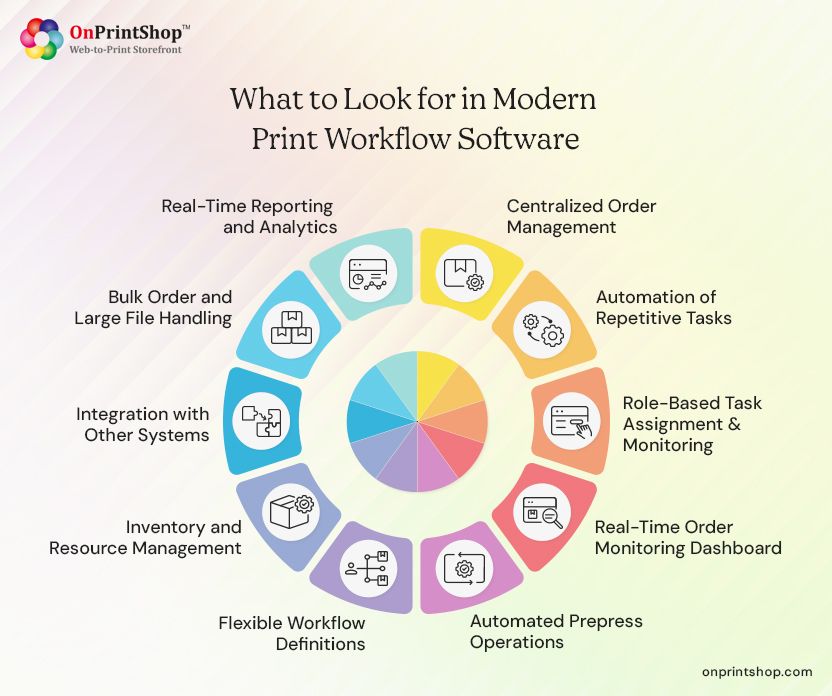
1. Centralized Order Management
This feature enables print business owners to intake orders from multiple sales channels and unifies them on a central platform.
2. Automation of Repetitive Tasks
Printers can leverage automation-led print workflow management system to reduce repetitive tasks like job routing and design approvals to reduce errors and boost efficiency.
3. Role-Based Task Assignment & Monitoring
You can assign print jobs to specific roles in the prepress, production, and shipping, allowing workflow monitoring at every stage.
4. Real-Time Order Monitoring Dashboard
With a centralized order monitoring dashboard, printers can view various metrics like live status updates and deadlines, thus enhancing decision-making.
5. Automated Prepress Operations
Look for a feature that allows you to automate prepress operations such as color separation, image adjustments, proofing, and imposition.
6. Flexible Workflow Definitions
Print business owners should have the ability to define and customize print workflows for varied product types, order types, and print buyers.
7. Inventory and Resource Management
Check for stock monitoring and resource allocation features to ensure the substrates and production capacity meet the print job needs.
8. Integration with Other Systems
Ensure the software supports intelligent web-to-print integrations with systems like CRM, accounting, shipping, and other third-party applications to automate tasks and reduce redundancies in operations.
9. Bulk Order and Large File Handling
Look for a feature that supports efficient processing and tracking of bulk order and large files, without slowing down the existing workflows.
10. Real-Time Reporting and Analytics
Features like smart reporting & analytics tools are a must-have feature that allows printers to measure performance metrics and take strategic business decisions.
Step-by-Step Approach to Modernizing Your Print Workflow
Modernizing your print workflow can be a challenging task if not done appropriately. Here’s a step-to-step approach to help you understand a simple yet effective way for workflow modernization.
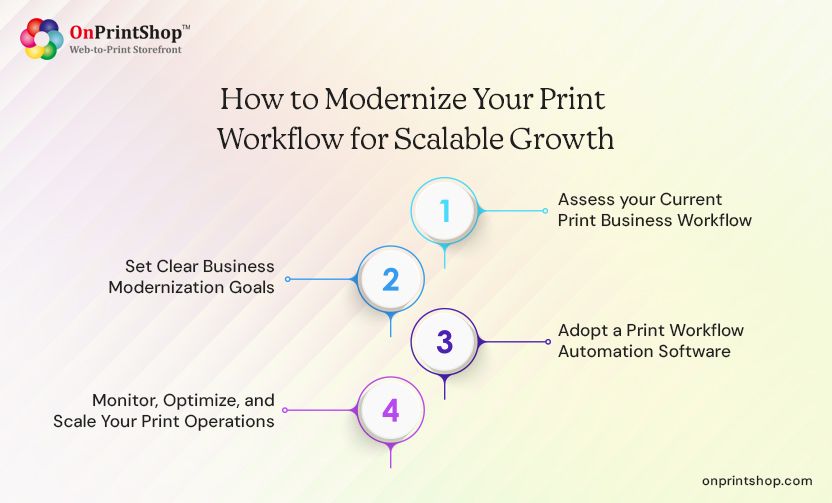
1. Assess your Current Print Business Workflow
As an initial step, assess your existing workflow to identify the tasks that are hindering your print business operations.
2. Set Clear Business Modernization Goals
To make the most of your modernization implementation, know what you want to achieve in terms of speed, accuracy, or scalability.
3. Adopt a Print Workflow Automation Software
Invest in a modern print workflow automation software that allows you to streamline operations in a way that legacy systems cannot.
4. Monitor, Optimize, and Scale Your Print Operations
After the implementation, monitor how your software is improving your business, look for gaps in workflows, and optimize it for achieving growth.
Wrapping It Up!Modernizing your print workflow is necessary has become a necessity in today’s digital-first world. While legacy systems are fine to work with for basic print business operations, meeting scalability goals requires a more robust approach.Utilizing a new-age print workflow automation software like the ones offered by OnPrintShop can help print business owners can keep pace with the changing printing landscape and rising customer expectations.If you want to know more about OnPrintShop and how it can help to modernize your print business operations, then request a demo today and experience a more smarter and faster print workflow.