



Blog Summary: Running a large format print business and still quoting jobs manually, losing material to poor nesting, or missing online orders? The right software changes all of that. This guide breaks down every software type, key features, and a proven selection framework to help you choose, implement, and grow confidently.
Large format printing is one of the fastest-growing segments in the global print industry. The market was valued at USD 7.94 billion in 2025 and is projected to reach USD 10.36 billion by 2030, growing at a CAGR of 5.5%.
This growth is driven by surging demand for signage, branded displays, event graphics, and vehicle wraps. Retail, real estate, construction, and corporate sectors are all investing heavily in large format visual communication.
Yet the complexity behind delivering large format products is significant. Print businesses face oversized file handling, substrate diversity, color consistency challenges, and growing buyer expectations for instant online ordering.
This guide explains the different types of modern large-format printing software, their key features, how to choose the right solution, and how to implement one effectively.
What Is Large Format Printing Software?
Large format printing software is a category of technology solutions designed to help print businesses produce, manage, and sell large format print products at scale. It enables everything from color-accurate file processing and substrate management to online ordering and production automation. It includes tools such as RIP software for print output, web-to-print storefronts for online ordering, MIS/ERP systems for business management, and design tools for prepress.
No single tool covers all these functions. Most print operations require two or more software types working together.

Types of Large Format Printing Software: Which One Do You Need?
Understanding the four main software categories is essential before making any purchase or integration decision.
1. RIP Software (Raster Image Processor)
RIP software converts digital files into a format that large format printers can output accurately. It handles color translation, resolution rendering, and media-specific optimization.
Key functions:
- ICC color profile management
- Tiling and nesting for media optimization
- Hot folder automation for batch jobs
- Print queue management
RIP software is essential for production quality. It sits between the design file and the printer, and directly impacts output accuracy and material efficiency.
2. Web-to-Print Storefront Software
Web-to-print storefront software enables print businesses to sell large format products online. It gives buyers a self-service ordering experience, including online design, instant pricing, and order tracking, making it also a next-gen print order management software.
Key functions:
- Online design studio with large format templates
- Product configurator for sizes, substrates, and finishing options
- Automated pricing engine
- Order management and customer portal
This category is where print businesses generate revenue and serve customers. It connects the buyer experience to the production workflow.
3. MIS / ERP Software
Management Information Systems (MIS) and Enterprise Resource Planning (ERP) tools handle the business side of print operations.
Key functions:
- Job costing and quoting
- Production scheduling
- Inventory management
- Invoicing and financial reporting
MIS/ERP tools are particularly important for high-volume operations managing multiple jobs and substrates simultaneously.
4. Design and Prepress Software
Design software is used to create or prepare artwork for large format output. Prepress tools ensure files meet print specifications before production.
Key functions:
- Artwork creation and layout
- Bleed, resolution, and color mode checks
- File format conversion
- Proofing and preflight
Note: This guide focuses on customizable web-to-print storefront software for large format print businesses. This category has the most direct impact on online revenue, customer experience, and order automation.
Market Overview: The State of Large Format Printing in 2025
The large format printing market is undergoing rapid transformation, driven by technology adoption, digital commerce, and demand for personalized print.
Key data points:
- The global large format printing market is projected to grow from USD 7.39 billion (2025) to USD 10.36 billion (2030) at a CAGR of 5.5%
- Vehicle wrap graphics represent one of the fastest-growing sub-segments, fueled by cost-effective fleet branding
- Trade show and event display graphics account for a significant share of demand across North America and Europe
- More than 40% of B2B print buyers now prefer to place orders online, accelerating adoption of web-to-print platforms
- Textile printing for fabric displays and soft signage is expanding rapidly in retail and exhibition environments
These trends are shifting how print businesses operate. Online storefronts, automated workflows, and integration support for extensive production tools are no longer optional upgrades. They are foundational to staying competitive.
Large Format Print Products and Applications Supported
Large format printing software is built to handle a wide range of products and end-use applications. Below are the most common categories.
Banners
Use case: Outdoor events, retail promotions, trade shows
Substrates: Vinyl, fabric, mesh, scrim
Posters
Use case: Point-of-sale displays, wayfinding, entertainment
Substrates: Coated paper, foam board, canvas
Signage
Use case: Retail, corporate, directional, safety
Substrates: PVC, aluminum composite, acrylic, corrugated plastic
Vehicle Wraps
Use case: Fleet branding, mobile advertising
Substrates: Cast vinyl, specialty wrap films
Trade Show Graphics
Use case: Exhibition displays, backdrop walls, booth panels
Substrates: Fabric, rigid foam, tension fabric systems
Wall Murals
Use case: Interior branding, retail environments, hospitality
Substrates: Adhesive vinyl, wallpaper, removable media
Canvas Prints
Use case: Art reproductions, home decor, personalized gifts
Substrates: Cotton canvas, poly-cotton blends
Textile Printing
Use case: Soft signage, retail displays, fashion, hospitality
Substrates: Polyester, satin, stretch fabric
Key Features of Large Format Printing Software
Effective large format printing software addresses two distinct sets of needs: the customer experience and the production workflow. Both matter equally.
A. Customer-Facing Features
Online Design Studio
Buyers should be able to create, upload, and customize designs directly in the browser. A good design studio supports custom dimensions, background color options, text editing, and image placement suited to large format products.
Product Configurator
This feature allows customers to select substrate, size, finishing (grommets, pole pockets, hemming), quantity, and turnaround time. Configurations should dynamically update pricing in real time.
Dynamic Pricing Engine
Pricing for large-format products varies significantly based on material, size, and finishing. Automated pricing solution eliminates manual quoting, reduces errors, and accelerates order intake.
File Upload and Preflight
Customers uploading print-ready files need instant feedback. Preflight checks should flag low resolution, incorrect color modes, missing bleeds, and other issues before the file enters production.
Proofing Workflow
Customers should be able to review a soft proof or 3D visual mockup of their product before approving it for print. Digital print proofing software reduces costly reprints and builds buyer confidence.
B. Production and Workflow Features
File Compatibility
The software must support standard large format file formats including PDF, TIFF, AI, EPS, and JPEG. Broad format support eliminates conversion delays and ensures smooth intake.
Color Management and ICC Profiles
The importance of color management cannot be ignored. So, accurate color reproduction across different substrates requires ICC profile support. The software should allow substrate-specific color profiles to maintain brand color fidelity.
Nesting and Ganging
Nesting arranges multiple print jobs on a single substrate sheet to minimize material waste. Studies show that intelligent nesting can reduce media waste by 15 to 30%, directly improving job margins.
Hot Folder Automation
Hot folders allow files placed in a designated directory to be automatically picked up and processed without manual intervention. This is critical for high-volume production environments.
RIP Integration
Seamless integration with RIP software like ONYX or Caldera ensures that files processed through the web-to-print platform flow directly into the print queue without re-formatting.
Workflow Automation
Automated workflows handle job routing, approval triggers, production status updates, and fulfillment notifications without manual handoffs between departments.
Variable Data Printing (VDP)
For personalized large format jobs such as individual event banners or customized signage, VDP allows unique data to be merged with a design template and output at scale.
Order Tracking
Real-time order status visibility benefits both the customer and the production team. It reduces inbound customer service inquiries and improves team accountability.
MIS and ERP Integration
Integration with business management systems ensures that order data, job costs, and invoice data flow automatically between production and accounting without duplication.
Security and Access Controls
Role-based access controls ensure that design staff, production operators, and customers each see only what is relevant to their role. This protects client data and maintains operational integrity.
Cloud vs. On-Premise vs. Hybrid Deployment
Large format printing software is available in three deployment models. Each has distinct trade-offs depending on business size, IT capability, and security requirements.
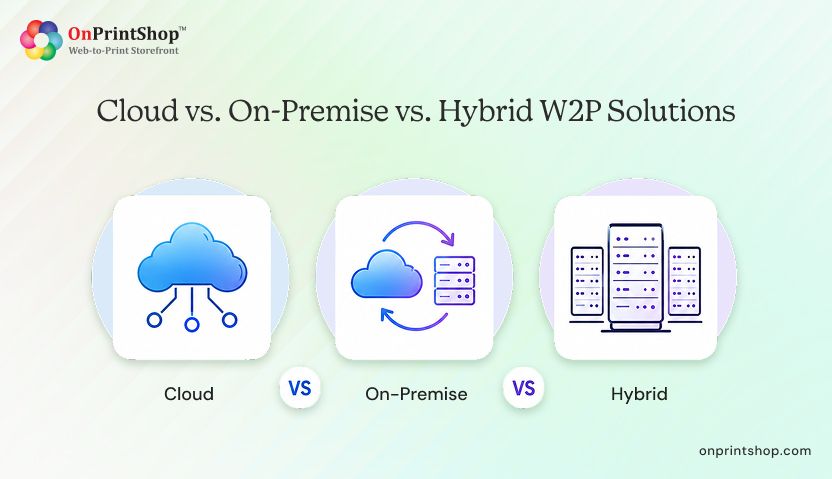
Cloud
Cloud-based platforms are hosted on remote servers and accessed via a web browser. They require no local installation and scale easily with business growth.
Best for: Growing print businesses, multi-location operations, businesses with limited IT staff.
On-Premise
On-premise solutions are installed on local servers managed by the print business's own IT team. They offer full data control and deep customization.
Best for: Large enterprises, businesses with strict data privacy requirements, operations with complex legacy system integrations.
Hybrid
Hybrid deployments split functions between cloud and on-premise components. For example, the customer-facing storefront may run in the cloud while production data remains on local servers.
Best for: Mid-to-large print businesses that need both flexibility and data control.
Deployment Comparison Table
Large Format Printing Software for Specific Industries
Different industries use large format printing in distinct ways. The right software should accommodate industry-specific product types, volumes, and buyer behaviors.
Retail
Retailers use large format graphics for in-store promotions, seasonal displays, and window graphics. High seasonal demand peaks require software that supports rapid ordering, template-based design, and fast turnaround.
Events
Event companies order banners, backdrops, booth displays, and directional signage under tight deadlines. Software must support complex product configurations, quick proofing, and rush order pricing.
Real Estate
Real estate agencies need property signage, yard signs, window vinyls, and hoarding graphics. Personalization at scale, with agent names and property details, is a common requirement.
Construction
Construction firms require safety signage, site hoardings, and building wraps. Products often involve non-standard sizes, and buyers expect consistent quality across multiple site locations.
Corporate Interiors
Corporations invest in wall murals, environmental graphics, and branded spaces. These projects typically involve detailed proofing cycles, custom substrates, and precise color matching to brand standards.
Benefits of Large Format Printing Software for Your Business
Adopting the right large format printing software delivers measurable operational and financial improvements.
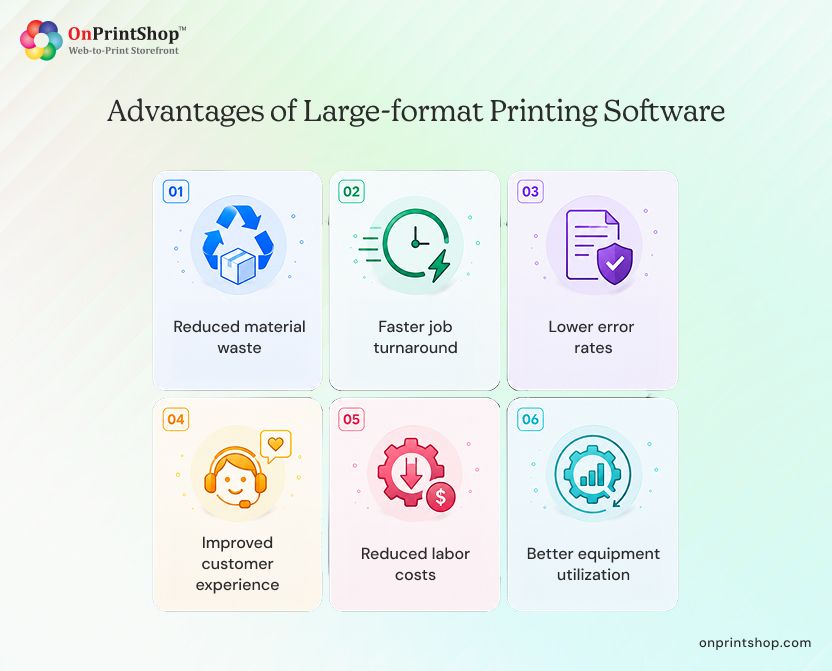
Reduced material waste: Intelligent nesting and ganging can reduce substrate waste by 15 to 30%, improving job margin without changing output volume.
Faster job turnaround: Automated preflighting, job routing, and workflow triggers eliminate manual handoffs, reducing average production time per job.
Lower error rates: Automated preflight catches file errors before production begins. This reduces costly reprints and material waste caused by incorrect files.
Improved customer experience: Online design, instant proofing, real-time order tracking, and self-service reordering increase customer satisfaction and repeat purchase rates.
Reduced labor costs: Automating order intake, pricing, preflight, and job routing reduces the need for manual processing, freeing staff to focus on higher-value tasks.
Better equipment utilization: Intelligent scheduling and nesting ensure presses run at higher capacity, reducing idle time and spreading overhead costs across more jobs.

How to Choose the Right Large Format Printing Software: 10-Point Framework
Use this structured checklist to evaluate and select the right solution for your large format print business.
1. Define the Software Type You Need
Identify whether you need a RIP, a web-to-print storefront, an MIS/ERP, or a combination. Buying the wrong category wastes budget and creates operational gaps.
2. Confirm Media and Substrate Compatibility
Ensure the software supports the substrates you print on: vinyl, canvas, fabric, rigid boards, and specialty materials. Substrate-specific configurations drive accurate pricing and production routing.
3. Verify File Format Support
The platform must accept industry-standard formats including PDF, TIFF, AI, EPS, and JPEG without requiring external conversion steps.
4. Check RIP Integration Capability
If you use ONYX, Caldera, SAi Flexi, or another RIP, confirm that the software integrates directly. Seamless file handoff between the storefront and the RIP is critical for production efficiency.
5. Evaluate the Online Storefront Experience
For web-to-print platforms, assess the quality of the design studio, the product configurator, and the checkout flow. A poor buyer experience directly impacts conversion and repeat orders.
6. Assess Color Management Tools
Look for ICC profile support, substrate-specific color calibration, and soft proofing capabilities. Color accuracy is non-negotiable in large format printing.
7. Confirm Nesting and Ganging Features
Material cost is a primary driver of large format job margins. Software with automated nesting and gang printing can significantly reduce per-job substrate usage.
8. Select the Right Deployment Model
Choose between cloud, on-premise, or hybrid based on your IT capability, data security requirements, and scalability needs.
9. Evaluate Integration Ecosystem
The software should integrate with your MIS/ERP, shipping providers (FedEx, UPS), payment gateways, and accounting tools. Integration gaps create manual workarounds that slow operations.
10. Assess Support and Training Resources
Confirm that the vendor offers onboarding assistance, training materials, and responsive technical support. Post-implementation support quality directly affects adoption speed and ROI.
ROI and Cost Savings from Large Format Printing Software
The financial case for large format printing software extends beyond operational convenience. There are concrete, measurable returns.
Waste Reduction
Nesting and gang printing reduce substrate waste by an estimated 15 to 30%. For a shop spending USD 10,000 per month on vinyl and fabric, this translates to USD 1,500 to USD 3,000 in monthly material savings.
Fewer Reprints
Automated preflight catches errors before production begins. Eliminating even one to two reprints per week on large format jobs can save hundreds of dollars monthly in materials and press time.
Faster Order Intake
Automated pricing and online ordering eliminate the manual quoting cycle. A job that previously required 2 to 3 hours of back-and-forth can be placed in minutes. This allows the same team to handle more orders without adding headcount.
Labor Savings
Automating repetitive tasks such as job routing, preflight checks, and status updates can reduce administrative labor by several hours per week per team member.
Higher Equipment Utilization
Intelligent scheduling and nesting ensure that presses run closer to full capacity. Higher utilization spreads fixed equipment costs across more jobs, improving per-unit profitability.
Example Scenario
A mid-sized large format shop processing 150 jobs per month invests in web-to-print software with nesting and automated preflight. Within 90 days, they report a 20% reduction in material waste, a 35% reduction in manual quoting time, and a 15% increase in total order volume due to the faster online ordering experience. These outcomes combine to generate a positive ROI within the first quarter.
Steps to Implement a Large Format Printing Solution
Implementation should follow a structured sequence to minimize disruption and accelerate time-to-value. Allow 6 to 10 weeks for a complete rollout.
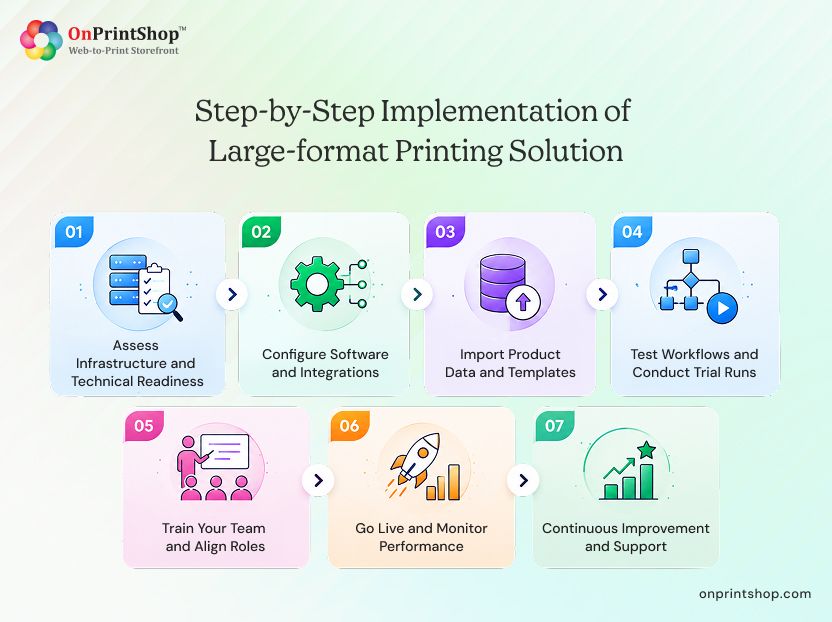
Step 1: Assess Infrastructure and Technical Readiness
Evaluate your existing IT environment, printer hardware, RIP software, and current systems such as MIS, ERP, and CRM. Identify integration requirements and decide on deployment model (cloud, on-premise, or hybrid).
Step 2: Configure Software and Integrations
Set up the platform according to your workflow. Integrate payment gateways, shipping providers, and accounting tools. Connect the web-to-print storefront to your RIP if applicable.
Configure the customizable workflow automation platform according to your print shop operations. Integrate payment gateways, shipping providers, and accounting tools. Connect the web-to-print storefront to your RIP if applicable.
Step 3: Import Product Data and Templates
Upload all large format product types including banners, posters, signage, and vehicle wraps. Configure size options, substrate types, finishing choices, and pricing structures. Add design templates where applicable.
Step 4: Test Workflows and Conduct Trial Runs
Simulate complete customer journeys from online design and file upload through checkout, proofing, and order fulfillment. Test pricing accuracy, file processing, and production routing before going live.
Step 5: Train Your Team and Align Roles
Provide training for design, production, sales, and customer support teams. Establish clear role-based access and internal workflow responsibilities within the new system.
Step 6: Go Live and Monitor Performance
Launch the platform and monitor order volumes, system performance, and customer interactions closely during the first two to four weeks. Collect feedback from staff and customers to identify quick-win improvements.
Step 7: Continuous Improvement and Support
Implementation is ongoing. Adopt software updates, test new automation features, and work with your vendor's support team to refine and automate workflows as your business grows.
Strategies for Maximizing Efficiency with Large Format Printing Software
Getting the most from large format printing software requires deliberate operational strategies beyond the initial setup.
Job Scheduling and Prioritization
Organize print jobs by priority, deadline, substrate type, and press availability. Structured scheduling reduces idle time, prevents bottlenecks, and ensures high-value jobs are completed first.
File Optimization Before Production
Leverage preflight tools to validate all incoming files for resolution (minimum 100 DPI at output size), bleed margins, color mode (CMYK), and embedded fonts. Catching issues early prevents press downtime and reprints.
Regular Software Updates
Software vendors release updates that improve performance, add features, and fix bugs. Staying current ensures access to the latest automation capabilities and security patches.
Issue Resolution and Troubleshooting Protocols
Establish internal protocols for handling common issues such as color inaccuracies, file processing failures, and substrate configuration errors. Good software includes built-in diagnostic tools; teams should know how to use them.
Nesting Strategy Optimization
Review nesting configurations regularly. Adjusting nesting parameters based on job mix and substrate sizes can yield incremental waste savings over time. Some RIP integrations allow dynamic nesting rules that adapt automatically.
Substrate-Specific Color Profiling
Maintain up-to-date ICC profiles for every substrate type in production. As substrates are changed or new materials are introduced, update profiles promptly to maintain color accuracy across the full product range.

ConclusionLarge format printing software is a foundational investment for any print business serving the signage, display, and branded graphics market. As customer expectations shift toward faster turnaround, on-demand customization, and seamless online ordering, businesses that combine web-to-print storefronts with automated production workflows are best positioned to stay competitive and scale efficiently.Ai-powered web-to-print platform, in particular, drives online revenue, reduces manual effort, and delivers the buyer experience that modern print customers expect. To see how a web-to-print solution can work for your large format print business, request a demo with OnPrintShop today.