





How Does OnPrintShop Work?
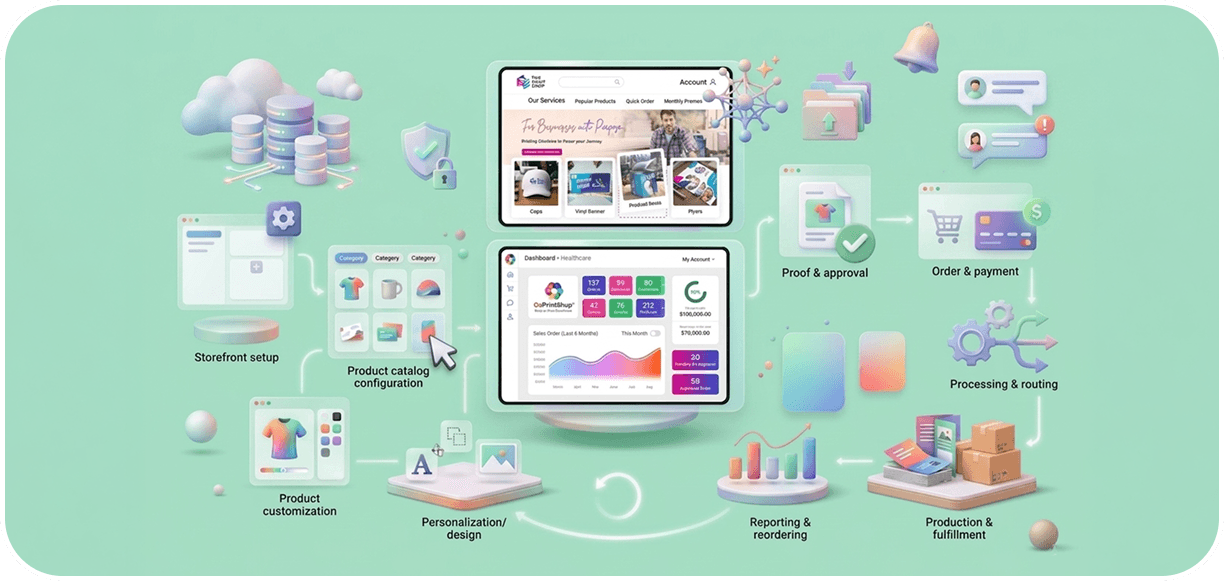
OnPrintShop connects storefronts, order management, and production workflows into one platform, enabling seamless print ordering, automation, and end-to-end order processing.

Ratings
Of Expertise
Print Businesses Served
Countries
Quick Facts About OnPrintShop
Platform Type
Cloud-based Web-to-Print platform
Core Workflow
Storefront → Product Config → Design/Upload → Order Placement → Approval → Production → Fulfillmen
Key Integrations
Print MIS, shipping carriers, payment gateways, accounting tools
Automation Scope
Order intake, artwork preflight, proof approval, job routing, production scheduling, dispatch notifications
Access Model
Browser-based access for both buyers (storefront) and administrators (backend)
How Does OnPrintShop Work? A Quick Platform Overview
OnPrintShop operates as an end-to-end web-to-print platform. It connects the customer-facing ordering experience with the print business's backend operations. The platform is structured around three functional areas: product configuration and customization through storefront, order and workflow management, and production and fulfillment.
Each area is connected so that activity in one layer flows automatically into the next. When a buyer places an order on the storefront, that order moves into the order management system, triggers the appropriate workflow, and is processed through to production without requiring manual re-entry at each stage.
Step-by-Step: How OnPrintShop Works
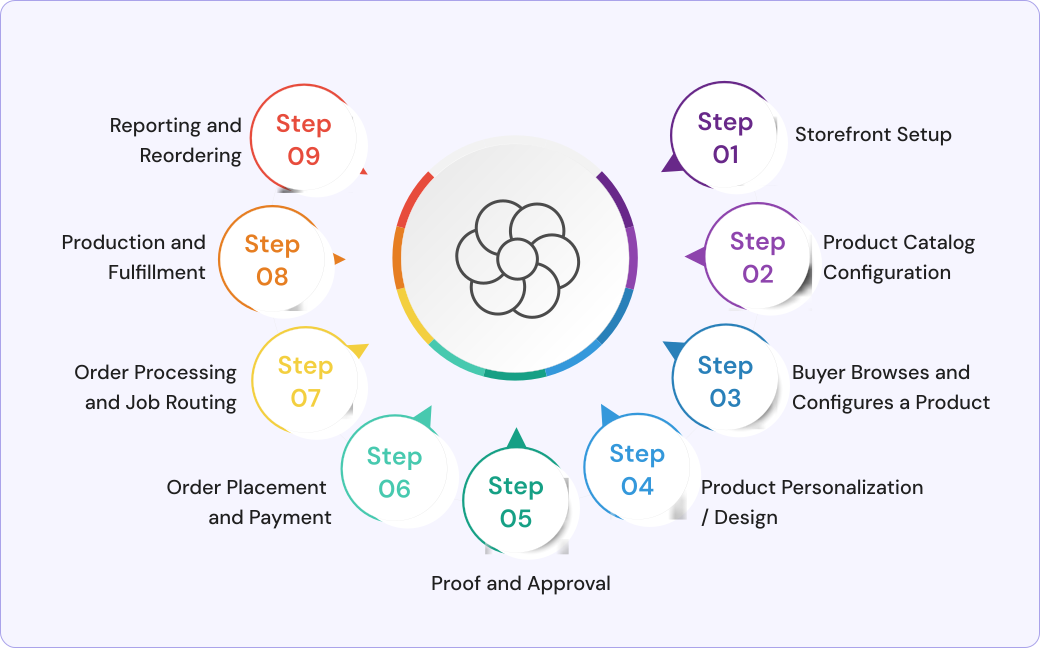
Step 1: Storefront Setup
A print business first sets up its online storefront using the OnPrintShop admin interface. This includes configuring the storefront design, adding print product categories, setting up pricing rules, defining shipping and tax settings, and configuring payment gateways. Businesses can create multiple storefronts for different customer segments. Example, a public B2C storefront can cater to retail print buyers and a private B2B portal caters to corporate clients.
Step 2: Product Catalog Configuration
Print products are configured in the product catalog with all relevant specifications. These include print size, substrate options, finishing choices (lamination, binding, cutting), quantity pricing tiers, turnaround time options, and file upload requirements. The product catalog can include standard products with fixed specs or configurable products where buyers select their own specifications.
Step 3: Buyer Browses and Configures a Product
When a buyer visits the storefront, they browse the product catalog, select a print product, and configure it to their requirements. The buyer can choose specifications from dropdown menus or guided selectors. The pricing engine calculates the job cost in real time based on the selected specifications.
Step 4: Product Personalization / Design
If the product supports customization, the buyer uses the OnPrintShop online design editor to personalize the product. The editor allows buyers to upload their own artwork, use pre-built templates, add text, change colors, insert images, and apply variable data fields. The editor displays a visual preview so buyers can see how the final product will look before ordering.
For upload-only products, buyers upload their print-ready files directly. The platform can run automated preflight checks on uploaded files to validate resolution, color mode, bleed, and other print specifications.
Step 5: Proof and Approval
After the design is complete or artwork is uploaded, the platform can generate a digital proof for the buyer to review and approve. Proof approval can be configured as a mandatory step before the order proceeds to production. For B2B orders, approval workflows can include multiple stakeholders, for example, a department manager may need to approve before the job is sent to print.
Step 6: Order Placement and Payment
The buyer places the order and completes payment through the integrated payment gateway. OnPrintShop supports multiple payment methods including credit card, bank transfer, and invoice-based payment for B2B accounts with credit terms. The order is recorded in the order management system and the buyer receives an automated order confirmation.
Step 7: Order Processing and Job Routing
Once the order is placed and approved, OnPrintShop's workflow automation routes the job to the appropriate production queue. Job routing can be configured based on product type, production department, machine assignment, or third-party print partner. If the job is outsourced to a trade printer or fulfillment partner, the platform can send the job file and order details automatically.
Step 8: Production and Fulfillment
The print job is prepared for production with print-ready file output. Production staff access job details through the production management interface. Once the job is printed, it is prepared for dispatch. The platform integrates with shipping carriers to generate shipping labels, track shipments, and send automated shipping notifications to buyers.
Step 9: Reporting and Reordering
Order history is stored in the platform. Buyers can view past orders and reorder with the same specifications in one click. Businesses access reporting dashboards that show order volumes, revenue, job status, and operational performance metrics.
















How Does OnPrintShop Work for Print Buyers?
From the buyer's perspective, OnPrintShop provides a self-service online ordering experience.
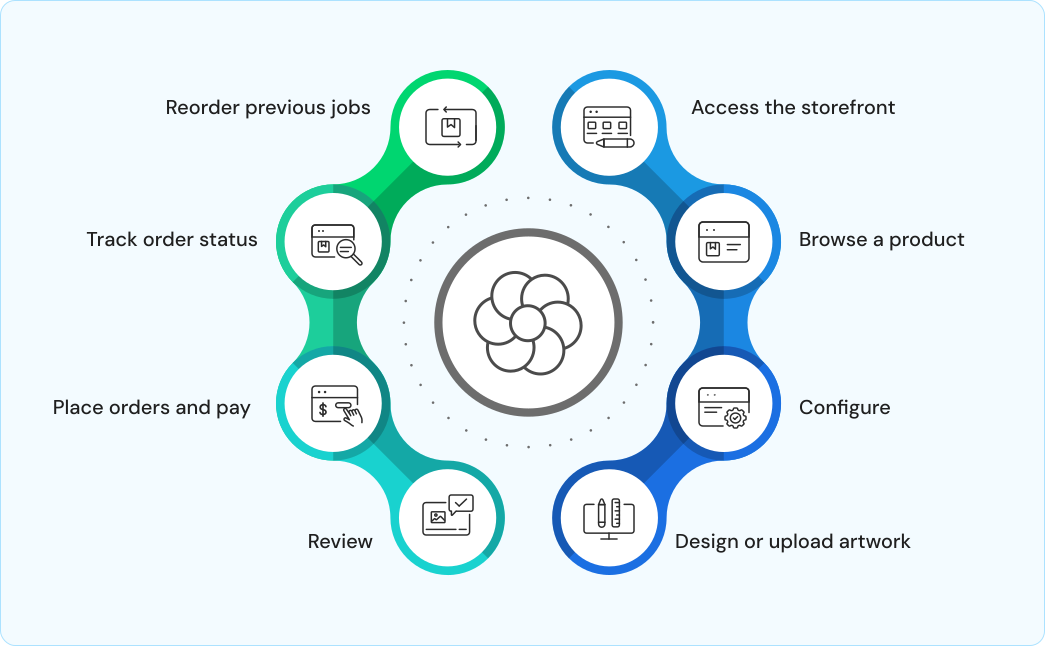
Buyers can:
- Access the storefront from any web browser without installing software
- Browse a product catalog organized by print category
- Configure print specifications and receive instant pricing
- Design or upload artwork using the online editor or file upload function
- Review a digital proof before confirming the order
- Place orders and pay securely through the storefront
- Track order status and receive automated notifications
- Reorder previous jobs quickly from order history
How Does OnPrintShop Work for Print Businesses?
From the print business's perspective, OnPrintShop provides a centralized backend for managing all aspects of the print operation:

Storefront admin
Create and manage one or more branded storefronts with product catalogs and pricing

Order management
Receive, review, track, and process all orders automatically in a unified dashboard

Workflow automation
Configure rules that route jobs based on product type, client, or production requirements

Customer management
Manage buyer accounts, B2B corporate accounts, credit limits, and account-specific pricing

Production management
Assign jobs to production queues, track job status, and manage output files

Reporting
Access data on order volumes, revenue, job completion rates, and customer activity
How Does Product Customization Work in OnPrintShop?
OnPrintShop includes a browser-based online design editor that print buyers use to personalize products before ordering. The design editor supports:
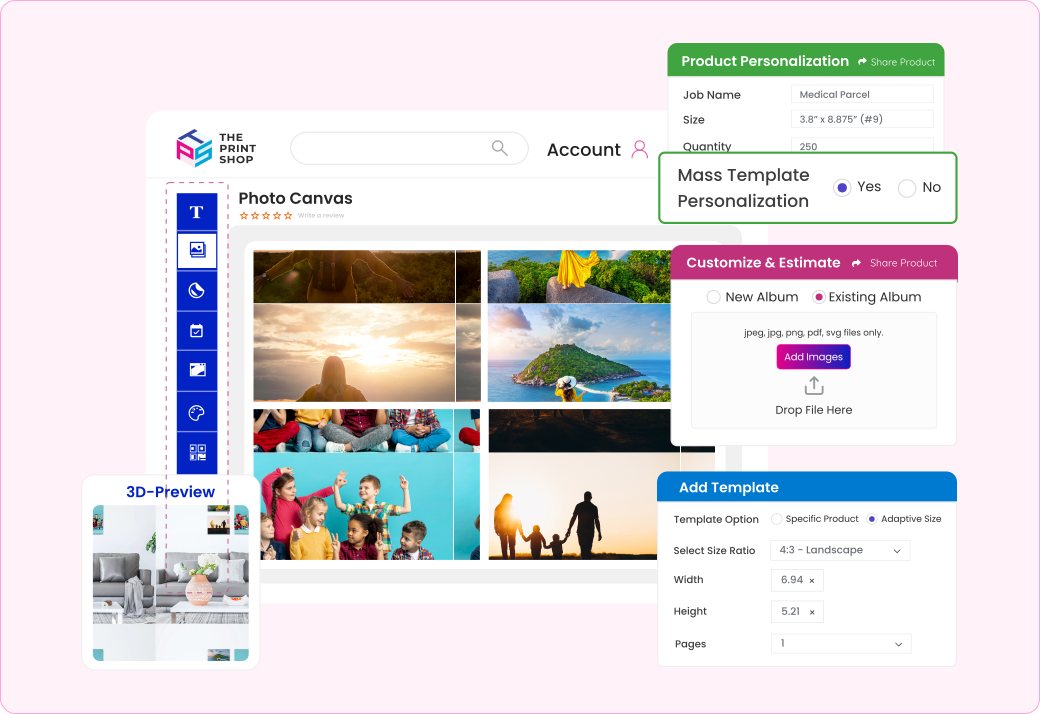
- Template-based customization: Buyers select a pre-built design template and modify text, colors, and images within defined areas
- Blank canvas design: Buyers create their own design from scratch using the editor tools
- Artwork upload: Buyers upload print-ready files (PDF, PNG, JPG) directly
- Variable data: Buyers can add personalized data fields such as names, serial numbers, or QR codes across multiple print items
- Real-time preview: Buyers see a visual preview of the product as they design, including front, back, and fold simulations where applicable
The design editor is embedded in the storefront and requires no software installation by the buyer. Completed designs are saved as print-ready files and passed to the order management system automatically.
How Does Workflow Automation Work in OnPrintShop?
OnPrintShop automates print order workflows through a configurable rules engine. Businesses define workflow steps and automation rules that determine how orders are processed after placement. Common automated workflow steps include:
Artwork preflight
Automated check of uploaded files for resolution, color mode, bleed, and file format compliance
Proof generation
Automatic creation of a digital proof for buyer review when required by the product configuration
Approval routing
Sending proof or order approval requests to the buyer or an internal approver based on configured rules
Job creation
Automatic generation of a print job record in the production system when an order is approved
Job routing
Directing the job to the appropriate production queue, department, or outsource partner based on product type or order rules
Shipping and dispatch
Generating shipping labels and tracking information through integrated carrier APIs
Customer notifications
Sending automated email or SMS updates at each order milestone
Does OnPrintShop Integrate with Other Systems?
Yes. OnPrintShop supports integration with a range of third-party systems to connect with a print business's existing technology infrastructure.
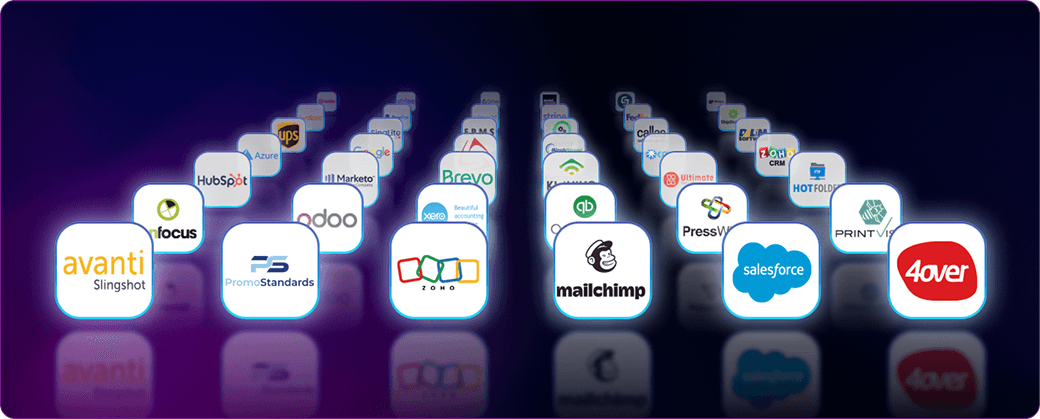
Key integration categories include:
Print MIS systems
Integration with print management information systems for job costing, production scheduling, and resource management
Shipping carriers
Integration with shipping providers for rate calculation, label generation, and shipment tracking
Payment gateways
Support for multiple payment processors including major card networks and regional payment providers
Accounting and ERP
Connection to accounting software for invoice management and financial reporting
Design tools
Compatibility with professional design applications for file import and proof handling
CRM and marketing tools
Customer data synchronization with CRM platforms for account management and communication
Quick Answers About How OnPrintShop Works
Q: How does OnPrintShop work at a basic level?
A: OnPrintShop connects an online print storefront with an order management and production workflow system. Buyers place orders through the storefront; the platform processes those orders through configurable workflows and routes them to production or fulfillment automatically.
Q: How does OnPrintShop handle product customization?
A: OnPrintShop includes a browser-based online design editor that allows buyers to personalize print products using templates, upload their own artwork, or create designs from scratch. The editor supports variable data, real-time preview, and outputs print-ready files automatically.
Q: What happens after a buyer places an order on OnPrintShop?
A: After order placement, OnPrintShop automatically records the order, applies configured workflow rules, routes the job for artwork review or approval if required, and directs the job to the appropriate production queue or outsource partner. Buyers receive automated status notifications throughout the process.
Q: Does OnPrintShop automate print workflow steps?
A: Yes. OnPrintShop automates multiple print workflow steps including artwork preflight, proof generation, approval routing, job creation, production routing, shipping label generation, and buyer notifications. These are configured by the print business based on their operational requirements.
Q: Does OnPrintShop support multiple storefronts?
A: Yes. OnPrintShop allows businesses to manage multiple storefronts from a single admin interface. This is used by franchise print businesses, multi-branch operations, or businesses serving separate B2B and B2C customer segments with different storefronts.
Q: Does OnPrintShop integrate with print MIS systems?
A: Yes. OnPrintShop supports integration with print MIS platforms to connect online order data with production scheduling, job costing, and resource management systems. This integration allows order data from the storefront to flow into the MIS without manual re-entry.