



Blog Summary: Web-to-Print is a software that enables customers to customize, order, and pay for print products online while automating production workflows for the print providers. This complete guide covers how it works, its benefits, types, and implementation, read on to explore everything in detail.
As the print industry becomes increasingly digital, businesses are moving away from manual processes like email-based orders and phone confirmations toward more efficient, automated systems. In fact, according to a report by Smithers, the global print market was at $868 billion in 2025, and it is expected to reach the staggering value of $969.7 billion by 2030.
This shift highlights how important it has become for print businesses to adopt online and automated solutions to stay competitive. A modern Web-to-Print solution addresses these changing expectations by streamlining the entire print ordering journey.
In this complete guide, you’ll learn everything you need to know about W2P, including how it works, different types of solutions, key features, benefits, implementation strategies, and how to choose the right platform for your business.
What Is Web-to-Print?
Web-to-Print (W2P or web2print) is a web software that enables customers to customize, order, and pay for printed products online while automating the workflow from order placement to print-ready file generation and production.
Instead of relying on emails, phone calls, or in-person visits to place print orders, customers can use a W2P platform to manage the entire ordering process online. The system then automatically generates print-ready files and sends them into the production workflow.
For print providers, this means replacing time-consuming manual tasks, such as creating quotes, checking artwork files, and processing orders, with automated digital workflows.
A typical Web-to-Print solution combines several technologies into one platform, including:
- An online print storefront for product browsing and ordering
- A product customization or online designer tool
- Automated order management and production workflows
- Payment processing and shipping integrations
For example, a customer ordering business cards through a Web-to-Print storefront can select a template, personalize their information, upload a logo, preview the design, and place the order instantly. Once the order is submitted, the system automatically generates a print-ready file and sends it to the print production queue.
To better understand the true value of W2P, it’s important to look beyond the definition and explore how it functions in a real-world print business environment.
History of Web-to-Print: How Web-to-Print Evolved: 1990s to Today
Web-to-Print evolved from basic file-upload tools in the 1990s to AI-powered cloud platforms by 2025, across 5 distinct phases.
Understanding the evolution of Web-to-Print helps explain why it has become a critical technology for modern print businesses. What started as a basic digital convenience has now transformed into a powerful, end-to-end automation system.
The journey of Web-to-Print mirrors the growth of the internet and digital commerce. Each phase introduced new capabilities that gradually reshaped how print businesses operate.
Late 1990s: The Beginning (Web 1.0 Era)
Web-to-Print first emerged as basic web interfaces that allowed customers to upload print-ready files. This replaced physical media like CDs and USB drives, reducing manual handling and improving efficiency. However, customization and automation were minimal at this stage.
Early 2000s: Rise of Online Design Tools
As internet usability improved, platforms began offering template-based customization. Customers could edit text, choose layouts, and preview designs online. This marked the shift from file submission to interactive print ordering, making print services more accessible to non-designers.
Mid-2000s: SaaS and Cloud Adoption
The introduction of Software-as-a-Service (SaaS) transformed Web-to-Print from expensive, custom-built systems into scalable and affordable solutions. Cloud-based platforms enabled remote access, centralized management, and easier deployment, allowing small and mid-sized print businesses to adopt W2P.
2010s: Personalization and B2B Integration
Web-to-Print matured into a comprehensive business solution. Features like Variable Data Printing (VDP), corporate print portals, and integrations with ERP/MIS systems became standard. Businesses could automate complex workflows and serve enterprise clients with high efficiency.
2020s: AI, Automation, and Advanced Commerce
Modern Web-to-Print platforms now incorporate AI-driven design tools, real-time previews, advanced automation, and seamless ecommerce experiences. They bridge the gap between online design tools and physical production, enabling faster, smarter, and more personalized print services.
Key Milestones in the Web-to-Print Industry
- Several technological and business advancements have shaped the growth of Web-to-Print over the years:
- Introduction of online file upload systems, eliminating physical media dependency
- Launch of template-based online design tools, enabling user-driven customization
- Shift to SaaS-based platforms, making W2P accessible and scalable
- Adoption of Variable Data Printing (VDP) for mass personalization
- Integration with MIS, ERP, and CRM systems for end-to-end automation
- Emergence of multi-storefront and B2B portals for enterprise clients
- Growth of Print-on-Demand (POD) and ecommerce-driven print models
- Introduction of AI-powered design, automation, and personalization features
These milestones collectively transformed Web-to-Print from a niche capability into a core infrastructure for modern print businesses.
Now that we know what it is, let’s break down the complete workflow, from the moment a customer places an order to the final production output, and understand how Web2Print revolutionizes traditional print ordering into a fully digital, automated, and scalable process.
How Does Web-to-Print Work?
Web-to-Print works by connecting an online storefront, product customization tools, and automated production workflows into a seamless system that processes print orders from submission to delivery with minimal manual intervention.
At a high level, a Web2Print platform streamlines both the customer journey and the print shop’s internal operations. It replaces traditional back-and-forth communication with a structured, automated workflow that improves speed and accuracy.
Let’s understand the complete stepwise process of a web2print solution:
1. Customer Visits the Online Print Storefront
The process begins when a customer lands on the print storefront or dedicated portal. They can browse available products such as business cards, brochures, banners, or promotional items.
2. Product Selection
The customer selects a product based on their requirements, size, material, quantity, finishing options, and more. The platform dynamically displays available configurations.
3. Customization Using Online Designer
Customers can personalize their chosen product using an integrated W2P editor. This may include:
- Editing text
- Uploading images or logos
- Choosing templates
- Adjusting layout and colors
The system often provides a real-time preview of the final design.
4. Instant Pricing and Checkout
Once customization is complete, the platform automatically calculates pricing based on selected specifications. Customers can review the cost instantly and proceed to checkout without waiting for a manual quote.
5. Order Submission and File Generation
After payment, the system processes the order and automatically generates a print-ready file. This eliminates the need for manual file checks and reduces errors.
6. Automated Order Management
The order is then routed into the print provider’s backend system. A Web-to-Print platform typically integrates with MIS/ERP systems to manage:
- Order tracking
- Job scheduling
- Inventory updates
7. Production Workflow Automation
The print-ready file is sent directly to production. Automation ensures that jobs move efficiently through prepress, printing, and finishing stages with minimal human intervention.
8. Shipping and Delivery
Once production is complete, the system can integrate with shipping providers to generate labels, track shipments, and notify customers about delivery status.
From the customer’s perspective, the process is fast, simple, and fully online. From the print provider’s side, it significantly reduces manual work, minimizes errors, and improves turnaround time.
In essence, Web2Print replaces fragmented, manual workflows with a unified, automated system that connects ordering, design, production, and delivery.
While the core workflow remains similar across platforms, Web-to-Print solutions are not one-size-fits-all. Different types of solutions are designed to meet the unique needs of various print business models and customer segments.
In the next section, we’ll explore the different types of W2P solutions and how each one fits specific business use cases.
Types of Web-to-Print Solutions
Web-to-Print solutions can be categorized based on business models, target audiences, and application areas, with each type designed to address specific operational needs and customer expectations.
While the core functionality of W2P remains the same, different print businesses require tailored solutions depending on who they serve and what they produce. Understanding these types helps you choose a platform that aligns with your business goals and growth strategy.
Below are the most common types of Web2Print solutions:
1. B2B Web-to-Print
B2B Web-to-Print solutions are designed for businesses that serve corporate clients or organizations with recurring print needs.
These platforms typically provide private storefronts or corporate print portals where approved users can order branded materials such as:
- Business cards
- Marketing collateral
- Stationery
- Signage
They ensure brand consistency by offering pre-approved templates and controlled customization options.
Best suited for:
- Corporate print departments
- Franchise networks
- Enterprise clients with multiple locations
2. B2C Web-to-Print
B2C Web-to-Print solutions focus on selling print products directly to individual customers through an online storefront.
These platforms emphasize ease of use, design flexibility, and quick ordering, allowing users to personalize products like:
- Photo prints
- Invitations
- T-shirts
- Gifts
They function similarly to standard ecommerce websites but include product customization capabilities.
Best suited for:
- Commercial print shops
- Online print businesses
- Photo product providers
3. Custom Web-to-Print
Custom Web-to-Print solutions are tailored platforms built to meet unique business requirements that standard software may not fully address.
These solutions offer:
- Highly specific workflows
- Custom integrations
- Unique UI/UX experiences
- Advanced automation logic
While they provide maximum flexibility, they often require higher investment and longer implementation time.
Best suited for:
- Large enterprises
- Specialized print providers
- Businesses with complex workflows
4. Web-to-Print for Large Format
Large format Web-to-Print solutions are designed for print businesses that produce oversized products such as:
- Banners
- Posters
- Signage
- Vehicle wraps
- Wall graphics
These platforms handle complex product configurations, including custom dimensions, materials, and finishing options. They often include advanced features like real-time size-based pricing, file scaling, resolution checks, and visualization tools.
Best suited for:
- Signage and display printers
- Wide-format print providers
5. Print on Demand Web-to-Print
Print on Demand (POD) Web-to-Print solutions enable businesses to produce items only after an order is placed, eliminating the need for inventory.
Customers can customize products such as:
- Apparel
- Merchandise
- Accessories
These platforms are often integrated with fulfillment and dropshipping systems, making them ideal for ecommerce-driven businesses.
Best suited for:
- Online retailers
- Merchandise businesses
- Creators and influencers
6. Trade Printer Web-to-Print
Trade printer Web-to-Print solutions are built for print providers who serve resellers, brokers, and other print businesses rather than end customers.
These platforms offer:
- Bulk ordering capabilities
- Tiered pricing structures
- White-label storefronts
- Account-based access
They simplify the ordering process for partners while maintaining operational efficiency.
Best suited for:
- Trade printers
- Wholesale print providers
- Print resellers
The difference between a trade printer, a print wholesaler, and a print reseller is in their workflows, which a flexible web2rint solution can easily address with customization.
7. Web-to-Pack
Web-to-pack is an emerging category of Web-to-Print focused on packaging box customization. They often include advanced 3D visualization tools and support for complex packaging structures.
Best suited for:
- Packaging companies
- White label resellers
- E-commerce brands
Key Takeaway:
Not all of the top web-to-print solutions are the same, choosing the right type depends on your target customers, product offerings, and business model.
Now that we’ve explored the different types of Web2Print solutions, the next step is to understand what makes these platforms powerful. Let’s take a closer look at the key features that define a modern W2P platform.

Key Features of a Web-to-Print Platform
A Web-to-Print platform combines ecommerce capabilities, product customization tools, and workflow automation features to streamline the entire print ordering and production process.
Modern W2P software is not just about selling print products online—it acts as a complete business management system that connects customers, orders, and production in one place.
Here are the essential features of a robust Web2Print platform:
Core Features
- Online Print Storefront
A fully functional ecommerce interface where customers can browse, customize, and order print products.
- Online Product Designer
Allows users to personalize designs with text, images, templates, and layouts in real time.
- Dynamic Pricing & Instant Quotes
Automatically calculates pricing based on product specifications, quantity, and finishing options.
- Order Management System
Centralized dashboard to track, manage, and process all incoming orders efficiently.
- Print Workflow Automation
Automates file processing, job routing, and production workflows to reduce manual intervention.
- File Preflight & Print-Ready Output
Ensures uploaded designs meet print standards and generates production-ready files automatically.
- Variable Data Printing (VDP)
Enables bulk personalization, such as printing unique names or addresses on each item.
- Payment Gateway Integration
Supports secure online payments through multiple methods.
- Shipping & Logistics Integration
Automates shipping label creation, tracking, and delivery updates.
Advanced Features
- Multi-Storefront Capability
Manage multiple storefronts for different customer segments or brands.
- MIS/ERP/CRM Integrations
Connect with backend systems for seamless business operations.
- Reporting & Analytics
Gain insights into sales, customer behavior, and production performance.
- User Roles & Access Control
Especially important for B2B portals and enterprise clients.
- Mobile-Friendly Experience
Ensures customers can order from any device.
Benefits of Web-to-Print for Print Businesses
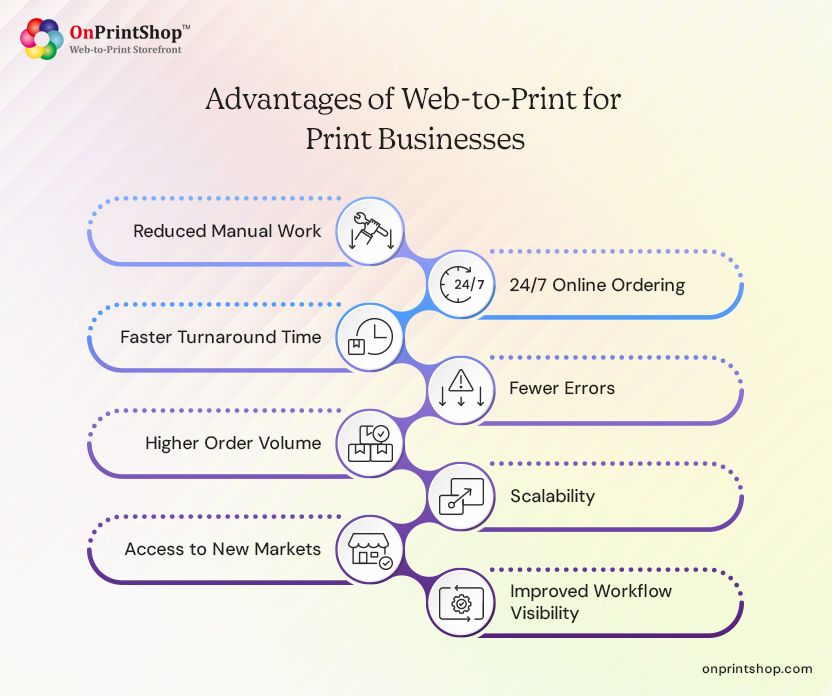
The ways Web2print solution streamlines the overall print business operations is by reducing manual work, enabling 24/7 ordering, cutting turnaround time, scaling order volume, and expanding market reach.
Reduced Manual Work
Web-to-print automates repetitive tasks such as quoting, file validation, and order entry, allowing teams to focus on higher-value activities like customer service, sales, and business expansion.
24/7 Online Ordering
Customers can place orders anytime without relying on business hours, enabling print providers to capture more opportunities and generate revenue even when their team is offline.
Faster Turnaround Time
Automated workflows reduce delays caused by manual intervention, allowing print jobs to move quickly from order placement to production, significantly improving delivery speed and customer satisfaction.
Fewer Errors
Predefined templates and automated file checks minimize design inconsistencies and technical issues, reducing costly reprints while ensuring higher accuracy and consistent output quality across all orders.
Higher Order Volume
With automation handling order processing, print businesses can efficiently manage a larger number of orders without increasing staff, enabling growth without adding operational complexity or overhead costs.
Scalability
Web-to-print systems allow businesses to expand product offerings, handle increased demand, and support multiple storefronts without disrupting workflows or requiring significant additional resources or infrastructure changes.
Access to New Markets
An online storefront enables print businesses to reach customers beyond their local geography, opening opportunities to serve regional, national, or even global audiences through digital channels.
Improved Workflow Visibility
Centralized dashboards provide real-time insights into order status, production stages, and performance metrics, helping businesses make informed decisions and maintain better control over operations.
Key Takeaway:
Web-to-Print transforms print businesses from manual service providers into scalable, automated, and digitally driven operations.

Benefits of Web-to-Print for Customers
Web-to-Print improves the customer experience by making print ordering faster, easier, and more accessible.
Today’s customers expect convenience similar to ecommerce platforms, and Web2Print delivers exactly that.
Convenient Online Ordering
Print buyers can place print orders anytime and from anywhere without depending on business hours or manual communication, making the process more flexible, accessible, and aligned with modern digital buying expectations.
Easy Customization
Customers can easily personalize print products using intuitive online design tools that allow editing text, images, and layouts, eliminating the need for professional design skills or back-and-forth communication with print providers.
Instant Pricing
The storefront visitor receives real-time pricing based on product specifications, quantity, and finishing options, removing delays associated with manual quotes and enabling faster decision-making during the purchasing process.
Faster Delivery
The print purchasers benefit from quicker turnaround times as automated workflows reduce delays between order placement and production, ensuring faster processing, printing, and delivery compared to traditional ordering methods.
Order History & Reordering
Clients with a history can access previous orders, saved designs, and order history, making it easy to reorder products without repeating the customization process, saving time and ensuring consistency across repeat purchases.
Brand Consistency
Corporate users, can maintain consistent branding through pre-approved templates and controlled customization options, ensuring all printed materials align with brand guidelines without requiring design expertise.
Key Takeaway:
Web-to-Print empowers customers with speed, control, and convenience—key factors in modern buying decisions.
Who Should Use Web2Print?
Web-to-Print is ideal for any print business looking to automate operations, expand online sales, and improve customer experience.
It is not limited to large enterprises, businesses of all sizes can benefit from adopting Web2Print.
Ideal Users
- Commercial print shops
- Franchise print networks
- Corporate in-plant print departments
- Trade printers and wholesalers
- Promotional product printers
- Photo printing businesses
- Large format print providers
- Packaging and label printers
Web-to-Print vs. Traditional Print Ordering: Side-by-Side Comparison
Web-to-Print replaces manual, time-consuming print ordering processes with automated, digital workflows that improve speed, accuracy, and scalability.
Traditional methods rely heavily on human interaction, which slows operations and increases the risk of errors.
Key Takeaway:
Web-to-Print is not just an upgrade—it’s a fundamental shift from manual processes to automated, scalable systems.

How to Choose the Right W2P Solution
Choose a W2P solution based on 6 key factors: deployment model, ease of use, customization depth, automation features, integration support, and vendor track record.
Let’s discuss each in detail.
- Deployment model (SaaS, licensed, custom)
The deployment model determines how your platform is hosted, maintained, and scaled. SaaS solutions offer quick setup and minimal maintenance, while licensed or custom solutions provide greater control but require technical expertise and higher upfront investment.
- Ease of use
A user-friendly interface is essential for both customers and your internal team. If the platform is complex or unintuitive, it can lead to abandoned orders, increased support requests, and slower adoption across your organization.
- Customization flexibility
Your W2P solution should allow you to customize storefronts, workflows, and product configurations according to your business needs. Limited flexibility can restrict your ability to offer unique services or adapt to changing market demands.
- Automation features
Automation is the core value of Web-to-Print. Look for features like automated file processing, job routing, and order management. A platform with limited automation will not deliver the efficiency gains you expect.
- Vendor experience and support
Choosing a vendor with proven industry experience ensures reliability and access to best practices. Strong customer support and onboarding assistance can significantly reduce implementation challenges and ongoing issues.
- Scalability
Your chosen platform should be able to handle increased order volumes, additional storefronts, and new product lines as your business grows. A non-scalable solution can quickly become a bottleneck.
- Integration capabilities
Seamless integration with MIS, ERP, CRM, payment gateways, and shipping systems is crucial for creating an efficient workflow. Without proper integrations, you may end up with disconnected processes and increased manual work.
SaaS vs. Licensed vs. Custom: Which Model Fits?
Each deployment model offers different levels of control, cost, and flexibility, making it important to choose one that aligns with your business size and technical capabilities.
SaaS Web-to-Print:
SaaS platforms are hosted by the provider and offered on a subscription basis. They are ideal for businesses that want a quick and hassle-free setup without worrying about server management, updates, or maintenance.
Licensed Web-to-Print:
Licensed solutions involve a one-time purchase with the option to host the software on your own servers or a preferred environment. This model offers more control over customization and data but requires technical resources to manage.
Custom Web-to-Print:
Custom-built solutions are developed specifically for your business needs. While they offer maximum flexibility and tailored workflows, they require significant time, investment, and ongoing development support.
6 Questions to Ask Any W2P Vendor
- Does the platform support multiple storefronts?
If your business serves different customer segments or operates across multiple regions, having the ability to manage multiple storefronts from a single system is essential for scalability and efficiency.
- Can it integrate with MIS/ERP systems?
Integration with existing business systems ensures smooth data flow across departments, reducing duplication of work and improving overall operational efficiency.
- Does it include an online designer?
An integrated designer tool is crucial for enabling customers to personalize products easily. Without it, you may need additional tools or manual intervention for design customization.
- What automation capabilities are available?
Understanding the extent of automation helps you evaluate how much manual work the system can eliminate. Advanced automation directly impacts productivity and turnaround time.
- How scalable is the solution?
Ask whether the platform can handle increased traffic, orders, and product complexity as your business grows. Scalability ensures long-term viability.
- What support and onboarding are provided?
Proper onboarding, training, and ongoing support are critical for successful implementation. Lack of support can lead to delays, errors, and underutilization of the platform.
Key Takeaway:
Choosing the right Web-to-Print solution is not just about features, it’s about finding a platform that fits your workflow, integrates seamlessly, and supports your long-term growth. The right solution helps you overcome the common W2P challenges effortlessly.
Web-to-Print Integrations: What Systems Connect to It?
Web-to-Print platforms integrate with multiple business systems to create a seamless, automated ecosystem that connects ordering, design, production, payment, and delivery into one unified workflow.
Integrations are what truly unlock the full potential of a Web-to-Print solution. Without them, businesses still rely on manual processes and disconnected systems. With the right integrations, W2P becomes a central hub that automates operations end-to-end.
Print MIS and ERP Integration
Integrating Web-to-Print with Print MIS (Management Information Systems) and ERP systems ensures smooth backend operations. Orders placed online are automatically pushed into the production system without manual data entry.
This integration enables real-time job tracking, inventory updates, production scheduling, and cost estimation. It eliminates duplication of work and reduces human errors, making the entire workflow more efficient and scalable.
Payment Gateways (Stripe, PayPal, etc.)
Payment gateway integrations allow customers to complete transactions securely and instantly during checkout. Popular platforms like Stripe and PayPal support multiple payment methods, including cards, wallets, and international payments.
This not only improves the customer experience but also ensures faster cash flow for print businesses. Automated payment confirmation also triggers order processing immediately, reducing delays.
Shipping and Logistics APIs
Shipping integrations connect Web-to-Print platforms with logistics providers to automate delivery processes. Once an order is completed, the system can generate shipping labels, calculate delivery costs, and track shipments in real time.
Customers receive automated notifications and tracking updates, while print businesses reduce manual coordination with courier services. This integration ensures faster and more reliable order fulfillment.
Trade Printer and Wholesale Supplier APIs
Web-to-Print platforms can integrate with trade printers and wholesale suppliers such as 4over to outsource production when needed.
These integrations allow print businesses to offer a wider range of products without investing in additional equipment. Orders can be routed directly to suppliers, enabling drop-shipping, faster turnaround times, and expanded service offerings.
PromoStandards API for Promotional Products
The PromoStandards API standardizes how promotional product data is exchanged between suppliers and distributors.
By integrating PromoStandards, Web-to-Print platforms can provide real-time product data, pricing, inventory availability, and order status for promotional items. This is especially valuable for businesses offering branded merchandise and corporate gifting solutions.
eCommerce Platforms (Shopify, Magento, WooCommerce)
Integrations with ecommerce platforms like Shopify, Magento, and WooCommerce enable print businesses to combine powerful storefront capabilities with advanced print customization features.
This allows businesses to manage products, customers, and orders from a familiar ecommerce environment while leveraging Web-to-Print for design and production automation. It also supports omnichannel selling strategies.
Design Tools (Adobe Express, Canva, Customer’s Canvas)
Modern Web-to-Print platforms integrate with design tools such as Adobe Express, Canva, and Customer's Canvas to enhance customization capabilities.
These integrations allow customers to create or import designs easily, improving usability and reducing friction in the ordering process. They also bridge the gap between professional design tools and print production requirements.
Key Takeaway:
Integrations are the backbone of a powerful Web-to-Print system, enabling automation, scalability, and seamless connectivity across every stage of the print business workflow.
How to Implement Web-to-Print: A Step-by-Step Overview
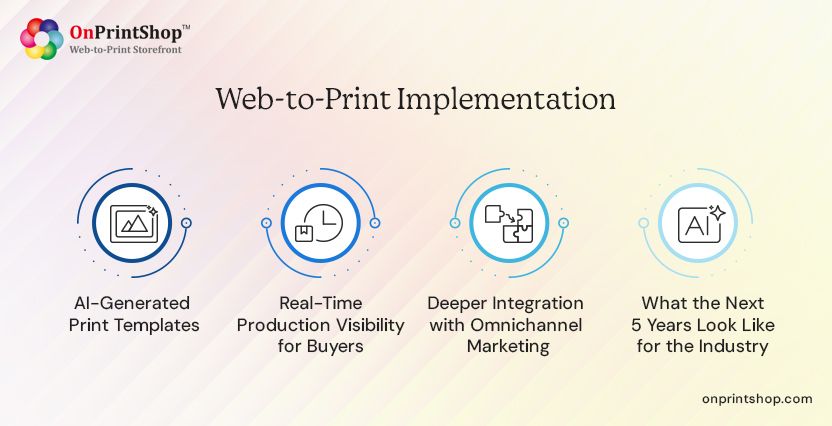
Implementing Web-to-Print involves strategically setting up your storefront, workflows, and integrations to create a seamless and automated print ordering system.
A successful implementation requires in-depth planning and execution for the successful implementation of Web-to-Print. Each step plays a critical role in ensuring your platform delivers the expected efficiency and customer experience.
Implementation Steps:
1. Define Your Business Goals
Start by identifying what you want to achieve with W2P, such as reducing manual work, increasing online sales, or improving turnaround time. Clear goals help guide your implementation strategy and platform selection.
2. Choose the Right Platform
Based on your business requirements, select a Web-to-Print solution that aligns with your goals. Consider factors like scalability, integrations, and automation capabilities before making a decision.
3. Set Up Your Product Catalog
Create and organize your print products with detailed specifications, pricing rules, and options. A well-structured catalog ensures customers can easily find and configure products without confusion.
4. Create Design Templates
Develop ready-to-use templates for commonly ordered products. Templates simplify the customization process for customers while maintaining design consistency and reducing errors.
5. Configure Pricing Rules
Set up dynamic pricing based on variables such as quantity, size, materials, and finishing options. Accurate pricing automation eliminates the need for manual quoting.
6. Integrate Payment and Shipping Systems
Connect your platform with payment gateways and shipping providers to enable smooth transactions and automated delivery processes. This step is crucial for creating a complete ecommerce experience.
7. Connect Production Workflows
Integrate the platform with your internal systems, such as MIS or ERP, to automate job processing and production management. This ensures orders move seamlessly from submission to printing.
8. Launch Your Storefront
Once everything is configured and tested, make your storefront live. Ensure that all features, workflows, and integrations are functioning correctly before launch.
9. Train Your Team and Optimize Processes
Provide training to your staff so they can effectively use the platform. Continuously monitor performance and optimize workflows to improve efficiency over time.
Common Challenges in Web-to-Print (and How to Solve Them)
Even after successful implementation, Web-to-Print platforms come with ongoing operational challenges that require continuous optimization, system alignment, and user management to fully realize their potential.
Unlike initial setup mistakes, these challenges occur during day-to-day operations as your business scales and evolves. Addressing them proactively ensures long-term success and efficiency.
Customer Adoption and Training
Even after launching a Web-to-Print storefront, some customers may continue using traditional ordering methods out of habit or lack of familiarity. This creates parallel workflows and reduces efficiency gains.
To address this, businesses should continuously educate users through onboarding sessions, help guides, and in-platform prompts. Encouraging adoption through incentives and simplifying the user interface can gradually shift behavior toward digital ordering.
File Quality and Preflight Failure Management
In live environments, inconsistent file uploads remain a recurring challenge, especially when dealing with non-professional users. Poor file quality can disrupt production workflows and increase manual correction efforts.
To manage this, implement advanced automated preflight systems with real-time error detection and correction suggestions. Over time, refining validation rules and educating customers helps reduce repeated file issues.
Pricing Complexity for Variable Products
As product catalogs expand, maintaining accurate pricing for multiple configurations becomes increasingly complex. Even small inconsistencies can impact profitability or customer trust.
This challenge can be managed by continuously refining dynamic pricing rules, testing pricing scenarios, and aligning pricing logic with production costs. Regular audits ensure that pricing remains accurate as offerings evolve.
Integration with Legacy Production Systems
Even after initial integration, maintaining smooth communication between Web-to-Print platforms and legacy systems can be challenging due to updates, data mismatches, or workflow changes.
To solve this, businesses should adopt a long-term integration strategy that includes regular system checks, API updates, and scalable middleware solutions to ensure consistent data flow across systems.
Managing Brand Consistency Across Multiple Users
As more users, departments, or franchise locations start using the system, maintaining strict brand consistency becomes an ongoing challenge rather than a one-time setup task.
This can be addressed by continuously updating templates, enforcing role-based permissions, and monitoring usage patterns. Periodic reviews ensure that branding guidelines are consistently followed across all orders.
Scaling Personalization at Volume
Handling large volumes of personalized orders introduces operational complexity, especially when managing variable data, production scheduling, and output consistency.
To manage this, businesses must rely on scalable automation, optimized workflows, and efficient data handling systems. Continuous performance monitoring ensures that personalization does not slow down production.
Key Takeaway:
Web-to-Print challenges are not one-time problems, but ongoing operational considerations; solving them requires continuous optimization, system alignment, and process improvement as your business grows.
Common Web-to-Print Mistakes to Avoid
Avoiding common mistakes during Web-to-Print adoption can significantly improve your success rate and help you achieve faster ROI.
Many print businesses fail to realize the full potential of W2P due to poor planning or incorrect implementation decisions. Understanding these pitfalls can help you avoid costly errors.
Choosing Software Without Automation Capabilities
One of the biggest mistakes is selecting a platform that lacks strong automation features. Without automation, you will still rely on manual processes, limiting efficiency gains and reducing the overall value of the investment.
Ignoring Integration Requirements
Failing to integrate your Web2Print solution with existing systems like MIS or ERP can lead to disconnected workflows. This often results in duplicate data entry, increased errors, and reduced productivity.
Overcomplicating Product Offerings Initially
Offering too many products or complex configurations at the start can overwhelm customers and complicate setup. It’s better to begin with a focused product range and expand gradually.
Poor Template Setup
Templates play a critical role in ensuring design consistency and ease of use. Poorly designed templates can lead to customer frustration, incorrect orders, and increased support requests.
Lack of Staff Training
Even the best platform will fail if your team doesn’t know how to use it effectively. Insufficient training can lead to inefficiencies, errors, and resistance to adopting the new system.
Underestimating Marketing Efforts
Simply launching a Web-to-Print storefront is not enough. Without proper marketing, customers may not be aware of your online capabilities, limiting order volume and ROI.
Key Takeaway:
Successful Web-to-Print adoption requires both the right technology and a clear implementation strategy, which can only be achieved by understanding how Web2Print solutions drive revenue for your business.
Web-to-Print Security and Data Privacy
As print businesses move operations online, protecting customer data, financial transactions, and brand assets becomes a critical responsibility—making security a core component of any Web-to-Print solution.
A secure Web-to-Print platform not only safeguards sensitive information but also builds trust with customers, especially in B2B environments where confidentiality and compliance are essential.
Customer Data Protection in Online Print Ordering
Web-to-Print platforms handle a wide range of customer data, including contact details, addresses, and sometimes sensitive business information. Any breach or misuse of this data can damage trust and lead to legal consequences.
To ensure protection, platforms should implement strong data encryption (both in transit and at rest), secure hosting environments, and compliance with data protection regulations. Regular security audits and controlled data access further strengthen data privacy.
Payment Processing Security (PCI Compliance)
Handling online payments requires strict security standards to protect financial data such as credit card details. Without proper safeguards, businesses risk fraud, chargebacks, and compliance violations.
Using PCI-DSS compliant payment gateways ensures that sensitive payment information is processed securely. Tokenization, encryption, and secure authentication mechanisms help minimize risks and provide a safe checkout experience for customers.
Brand Asset Protection in B2B Portals
In corporate or franchise environments, Web-to-Print portals often store valuable brand assets such as logos, templates, and marketing materials. Unauthorized access or misuse can lead to brand inconsistency or reputational damage.
To prevent this, platforms should offer secure asset libraries with controlled access, version management, and usage restrictions. This ensures that only approved users can access and modify brand materials.
Role-Based Access Control in Multi-User Environments
Web-to-Print systems often support multiple users across departments, locations, or organizations. Without proper access control, users may gain permission beyond their role, leading to security risks or operational errors.
Role-based access control (RBAC) allows administrators to define user permissions based on roles, ensuring that individuals only access what is necessary. This improves both security and workflow efficiency while maintaining accountability.

Web-to-Print Trends in 2026 and Beyond
Web-to-Print is rapidly evolving with advancements in AI, automation, and digital commerce, shaping a future where print businesses operate smarter, faster, and more customer-centric than ever before.
As technology and customer expectations continue to evolve, staying ahead of the top-ranking print industry trends is essential for print providers looking to remain competitive and future-ready.
AI-Powered Design Assistance and Automation
Artificial intelligence is transforming how print designs are created and processed. Modern Web-to-Print platforms now offer AI-driven design suggestions, automated layout adjustments, and even content generation for product listings.
This reduces dependency on manual design work, speeds up order processing, and allows even non-designers to create professional-quality print materials with minimal effort.
Hyper-Personalization at Scale
Personalization is no longer a premium feature, it is becoming a standard expectation. Businesses are increasingly using data-driven insights to create highly targeted and customized print materials for individual customers.
With advanced Variable Data Printing (VDP) and automation, Web-to-Print platforms can now handle large volumes of personalized orders efficiently without slowing down production.
Sustainable and Eco-Print Ordering
Sustainability is becoming a key decision factor for both businesses and consumers. Print providers are adopting eco-friendly practices such as optimized material usage, reduced waste, and environmentally responsible printing processes.
Web-to-Print platforms support this by enabling efficient job batching, accurate quantity selection, and transparent communication of sustainable options to customers.
Web-to-Pack: Extending W2P into Packaging
Web-to-Pack is emerging as a major extension of Web-to-Print, allowing businesses to offer customizable packaging solutions online. Customers can design boxes, labels, and packaging materials with real-time previews.
This trend opens new revenue streams for print providers, especially with the growth of ecommerce and demand for branded packaging experiences.
Mobile-First Print Ordering Experiences
With increasing mobile usage, customers expect seamless ordering experiences on smartphones and tablets. Modern Web-to-Print platforms are prioritizing responsive design and mobile-friendly interfaces.
This ensures that users can browse products, customize designs, and place orders conveniently from any device, improving accessibility and conversion rates.
Integration with Marketing Automation Platforms
Web-to-Print is increasingly being integrated with marketing automation tools to support cross-channel campaigns. Businesses can connect print with email marketing, CRM systems, and digital campaigns.
This enables coordinated marketing efforts, better customer targeting, and measurable campaign performance across both print and digital channels.
Predictive Reordering and Smart Inventory Triggers
Advanced Web-to-Print platforms are beginning to use data analytics and AI to predict when customers are likely to reorder print materials.
Automated triggers can notify customers or place repeat orders based on usage patterns, inventory levels, or predefined schedules. This helps businesses maintain consistency while reducing manual effort and stock shortages.
The Future of Web-to-Print: What’s Coming Next
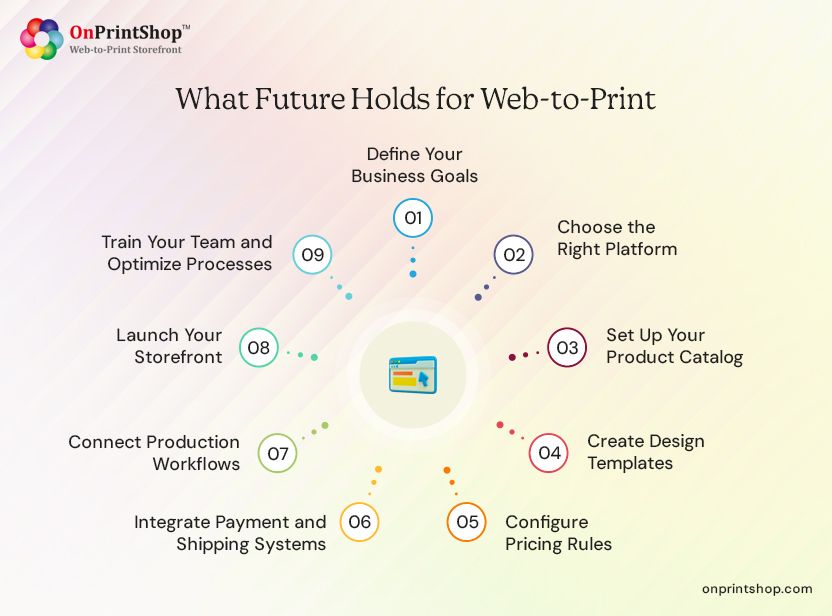
The future of Web-to-Print will be defined by deeper automation, real-time visibility, and intelligent systems that connect print seamlessly with digital ecosystems and customer behavior.
As technology continues to advance, Web-to-Print will move beyond being just an ordering system to becoming a fully integrated, data-driven business platform.
AI-Generated Print Templates
The next evolution of Web-to-Print will see AI automatically generating print-ready templates based on user input, brand guidelines, or campaign objectives. Instead of selecting from pre-designed templates, users will be able to generate custom layouts instantly.
This will significantly reduce design time, improve consistency, and enable businesses to produce high-quality creative assets at scale without relying heavily on design teams.
Real-Time Production Visibility for Buyers
Future Web-to-Print platforms will provide customers with real-time visibility into production stages, similar to order tracking in ecommerce or logistics platforms. Buyers will be able to see exactly where their job is in the workflow.
This transparency improves trust, reduces support inquiries, and enhances the overall customer experience by keeping users informed throughout the production lifecycle.
Deeper Integration with Omnichannel Marketing
Web-to-Print will increasingly integrate with broader marketing ecosystems, enabling print to work seamlessly alongside digital channels such as email, social media, and CRM systems.
This will allow businesses to execute coordinated, data-driven campaigns where print becomes part of a larger omnichannel strategy, improving engagement and measurable ROI.
What the Next 5 Years Look Like for the Industry
Over the next five years, Web-to-Print is expected to become more intelligent, automated, and user-centric. Platforms will leverage AI, predictive analytics, and advanced integrations to streamline operations and enhance personalization.
Print businesses that adopt these innovations early will gain a competitive advantage by offering faster turnaround times, better customer experiences, and more scalable operations. Those that delay adoption may struggle to keep up with evolving market expectations.
Key Takeaway:
The future of Web-to-Print is not just about automation—it’s about building intelligent, connected systems that transform print into a fully integrated part of the digital customer journey.
Web-to-Print Glossary of Key Terms
Web-to-Print (W2P): A platform that enables online print ordering with automated workflows.
Print Storefront: An online portal where customers browse and order print products.
Online Product Designer: A tool that allows users to customize print designs.
Variable Data Printing (VDP): Printing technique that allows unique data on each printed item.
Print Workflow Automation: Automated processing of print jobs from order to production.
Corporate Print Portal: A private storefront for businesses to manage branded print materials.
Print Order Management System: Software used to track and manage print orders.
Web-to-Print Ecommerce: Online selling of customizable print products.
Print MIS (Management Information System): A software system used by print businesses to manage estimating, job tracking, production scheduling, inventory, and billing in a centralized platform.
Preflight / PDF Preflight: The process of checking print files for errors such as missing fonts, low resolution, or incorrect color settings before sending them to production.
JDF / JMF (Job Definition Format / Job Messaging Format): Industry-standard file formats used to automate communication between different print systems, enabling seamless data exchange across prepress, press, and finishing stages.
Ganging / Nesting: A technique where multiple print jobs are combined onto a single sheet to optimize material usage, reduce waste, and lower production costs.
Imposition: The arrangement of pages on a print sheet in a specific order so they appear correctly when printed, folded, and trimmed.
Bleed, Trim, and Safe Zone: Design guidelines used in printing: bleed extends artwork beyond edges, trim defines the final cut size, and the safe zone keeps important content away from edges.
Print-Ready File: A finalized digital file that meets all technical specifications, including resolution, color mode, and layout, and is ready for direct printing without further adjustments.
White-Label Storefront: A customizable online print store that can be branded as another company’s own, allowing resellers or partners to sell print products under their own identity.
Trade Printer: A print provider that produces print products for other businesses, such as resellers or agencies, rather than selling directly to end customers.
PromoStandards: An industry initiative that standardizes data exchange for promotional products, enabling seamless integration between suppliers and distributors.
Soft Proofing / Hard Proofing: Soft proofing refers to reviewing designs digitally on screen, while hard proofing involves printing a physical sample to verify colors, layout, and quality before final production.
Online Design Tool / Web-to-Print Editor: An integrated tool within a Web-to-Print platform that allows users to customize designs by editing text, images, layouts, and templates in real time.
Print eCommerce: The process of selling print products online through a digital storefront with features like customization, pricing, and checkout functionality.
B2B Print Portal: A private, login-based storefront designed for business clients to order branded materials with controlled customization and predefined templates.
Prepress Automation: The use of software to automate tasks such as file preparation, color correction, imposition, and proofing before printing begins.
Color Management / ICC Profiles: A system that ensures consistent color reproduction across devices using standardized color profiles (ICC), helping maintain accuracy from design to final print.
RIP (Raster Image Processor): A software or hardware component that converts digital files into a format that printing devices can understand and produce accurately.
Wide Format / Large Format Print: Printing processes used for oversized materials such as banners, posters, signage, and wall graphics, often requiring specialized printers and workflows.
Digital Asset Management (DAM): A system used to store, organize, and manage design files, templates, images, and brand assets for easy access and reuse within Web-to-Print workflows.
Job Ticket: A document or digital record that contains all production details of a print job, including specifications, quantity, materials, and finishing instructions.
Workflow Automation: The use of software to automatically manage and route print jobs through different stages such as prepress, printing, and finishing without manual intervention.
Print Queue: A list of print jobs waiting to be processed by a printer or production system, often prioritized based on deadlines or job specifications.
Template Locking: A feature that restricts certain elements of a design template, ensuring brand consistency while allowing limited customization by the user.
SKU (Stock Keeping Unit): A unique identifier assigned to each print product or variation, helping businesses manage inventory, pricing, and order tracking efficiently.
Dynamic Pricing: A pricing model where costs are automatically calculated based on variables such as quantity, size, material, and finishing options in real time.
Multi-Storefront: A capability that allows print businesses to manage multiple online storefronts for different brands, regions, or customer segments from a single platform.
Order Routing: The process of automatically directing print jobs to the appropriate production facility, printer, or external supplier based on predefined rules.
API (Application Programming Interface): A set of protocols that allows different software systems to communicate and share data, enabling integrations between Web-to-Print platforms and external tools.
Dropshipping (Print): A fulfillment model where print products are produced and shipped directly from a supplier to the end customer without the seller handling inventory.
Turnaround Time (TAT): The total time required to complete a print job from order placement to final delivery, often a key factor in customer satisfaction.
Batch Processing: A method of processing multiple print jobs together in groups to improve efficiency, reduce setup time, and optimize production resources.
Finishing: Post-print processes such as cutting, folding, binding, laminating, or coating that enhance the final appearance and functionality of printed products.
Cross-Media Marketing: A strategy that combines print with digital channels (such as email, QR codes, or personalized URLs) to create integrated and trackable marketing campaigns.
ConclusionWeb-to-Print has transformed how print businesses operate by replacing manual processes with automated, digital workflows. From online ordering to production automation, it enables efficiency, scalability, and better customer experience.As the print industry continues to shift online, adopting a Web2Print solution is no longer optional—it’s a strategic necessity for growth.If you’re looking to modernize your print operations, exploring advanced Web-to-Print platforms like OnPrintShop can help you streamline workflows, improve customer experience, and scale your business effectively.